

Who is this for?
- Atlas merchants setting up, launching, and managing the customer loyalty programme.
What this does
Atlas Loyalty rewards customers for ordering with you, which brings them back more often. Depending on how your programme is set up, customers earn rewards as either points or cashback, and they redeem those rewards against future orders.Setting up Atlas Loyalty
Reach out to Atlas support or your account manager to set up and enable your loyalty programme. Once it is active, you set your reward rate and any minimum spend on the programme, and the system tracks and displays rewards across your ordering channels. You do not need to do any manual setup to keep it running.How customers sign up
Customers can join your programme in a few ways:- Atlas Scan to Order — sign up on their phone while ordering.
- Atlas Online — sign up on your ordering website.
- Receipt — scan the QR code on a physical receipt, or tap the link in a digital receipt.
- Standalone QR — print a QR code that links to your loyalty portal and display that in your restaurant, so customers can sign up any time.
- Staff at the POS — the cashier signs them up during payment. This adds work for your staff, so it is not always the preferred route.
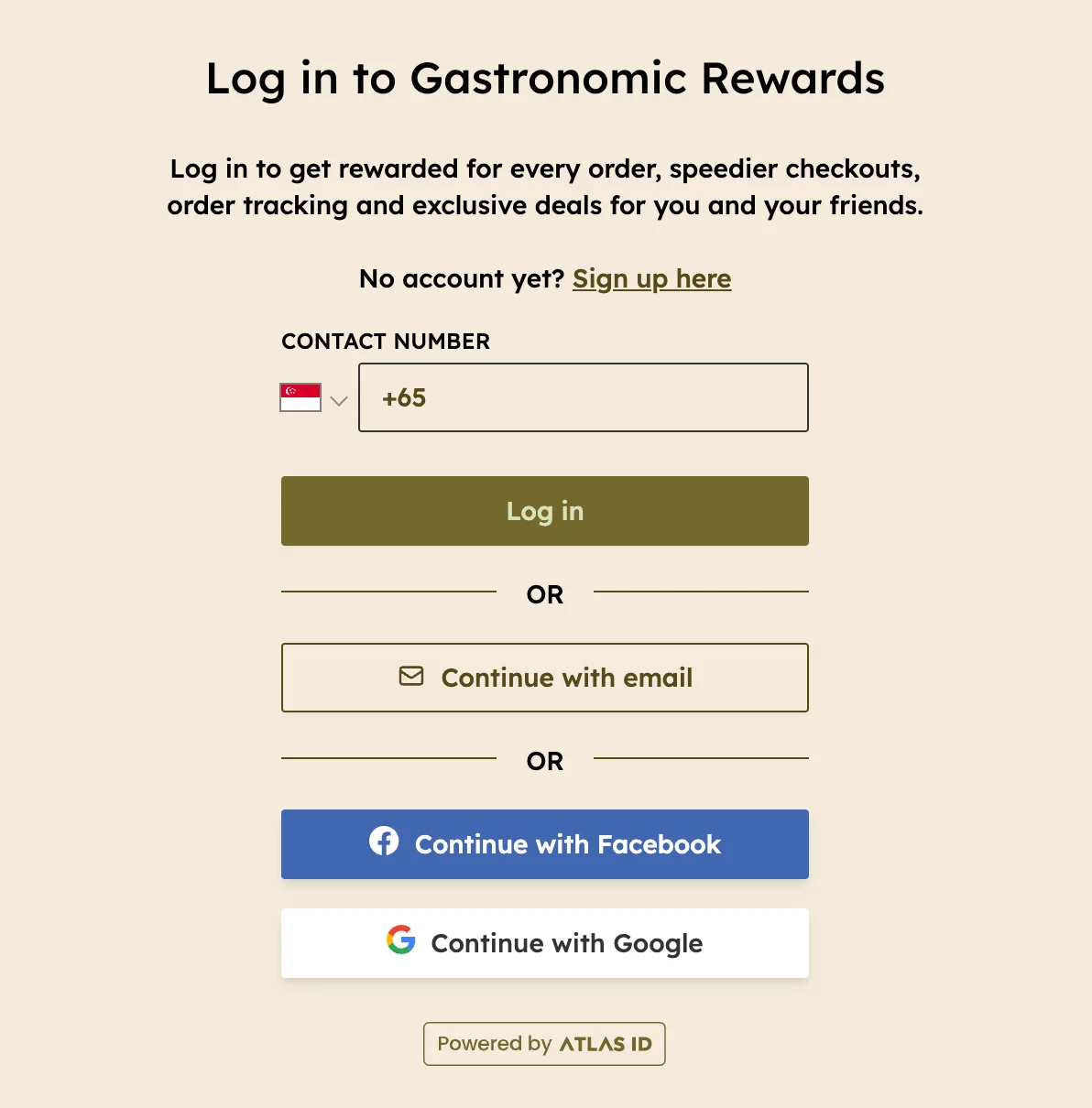
The sign up page on your Atlas Online direct ordering website
Earning rewards
Customers earn rewards automatically when they are logged in to their loyalty account at the time of ordering. They can log in in a few ways:- Self-service checkouts — log in before payment on Atlas Online, Atlas Scan to Order, or Atlas Kiosk.
- At the POS — give the cashier their phone number, or log in themselves on the customer-facing display.
- Scan a receipt — scan the QR code on any unclaimed receipt to claim and earn the rewards for that order afterwards. This includes the delivery receipt sent with an aggregator order.
- All channels are eligible — yes, even third-party delivery platforms. Direct orders earn rewards when the customer is logged in, or when the customer claims from the QR code or link on their receipt. Aggregator orders (GrabFood, Foodpanda, and Deliveroo) only earn rewards when the customer scans the QR code on their delivery receipt.
- Reward rate — you set the reward rate (points or cashback per SGD spent) on your programme.
- Minimum spend — you can set a minimum order spend before an order is eligible to earn rewards.
- Net sales basis — rewards are calculated on net sales, which excludes service charges, taxes, delivery fees, and tips.
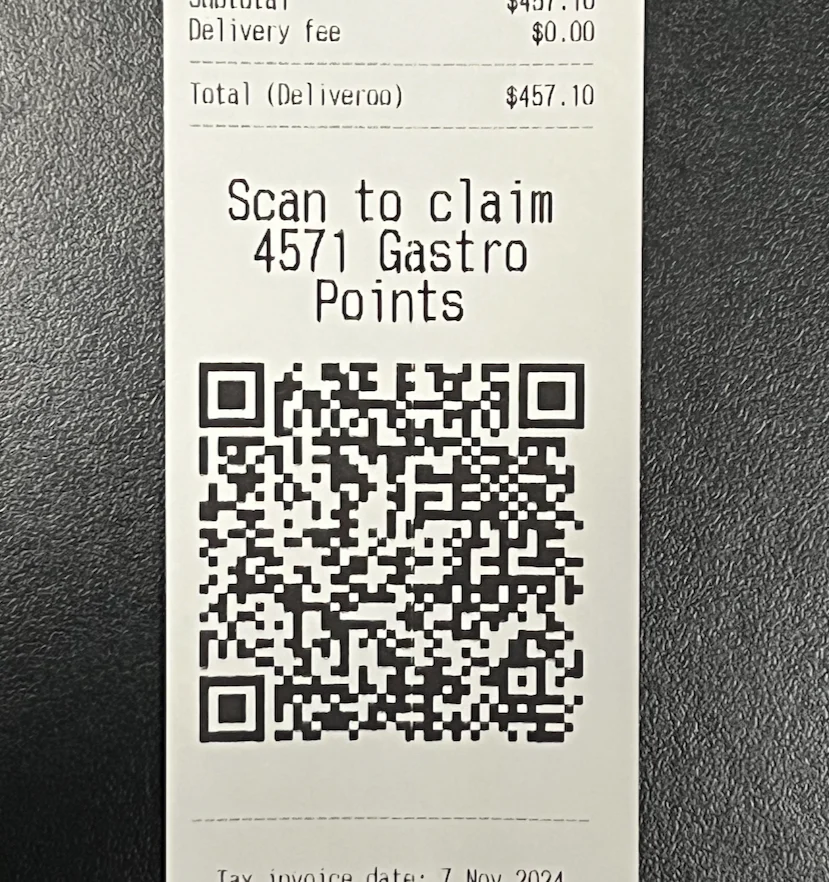
A customer can claim their rewards by scanning the QR code on their receipt
Redeeming rewards
Customers redeem rewards against an order, as long as they are logged in at checkout:- Self-service checkouts — redeem before checkout on Atlas Online, Atlas Scan to Order, or Atlas Kiosk.
- At the POS — tell the cashier, or log in on the customer-facing display.
Merchant view
You can manage members and monitor activity from the Atlas Merchant Portal:- Log in to the Atlas Merchant Portal.
- Tap the menu in the top-left corner, then select Customers.
- Under the Registered tab, you can view:
- Member list with names, email addresses, and phone numbers
- Reward balance (points or cashback earned)
- Recent transactional activity
- Marketing communication consent
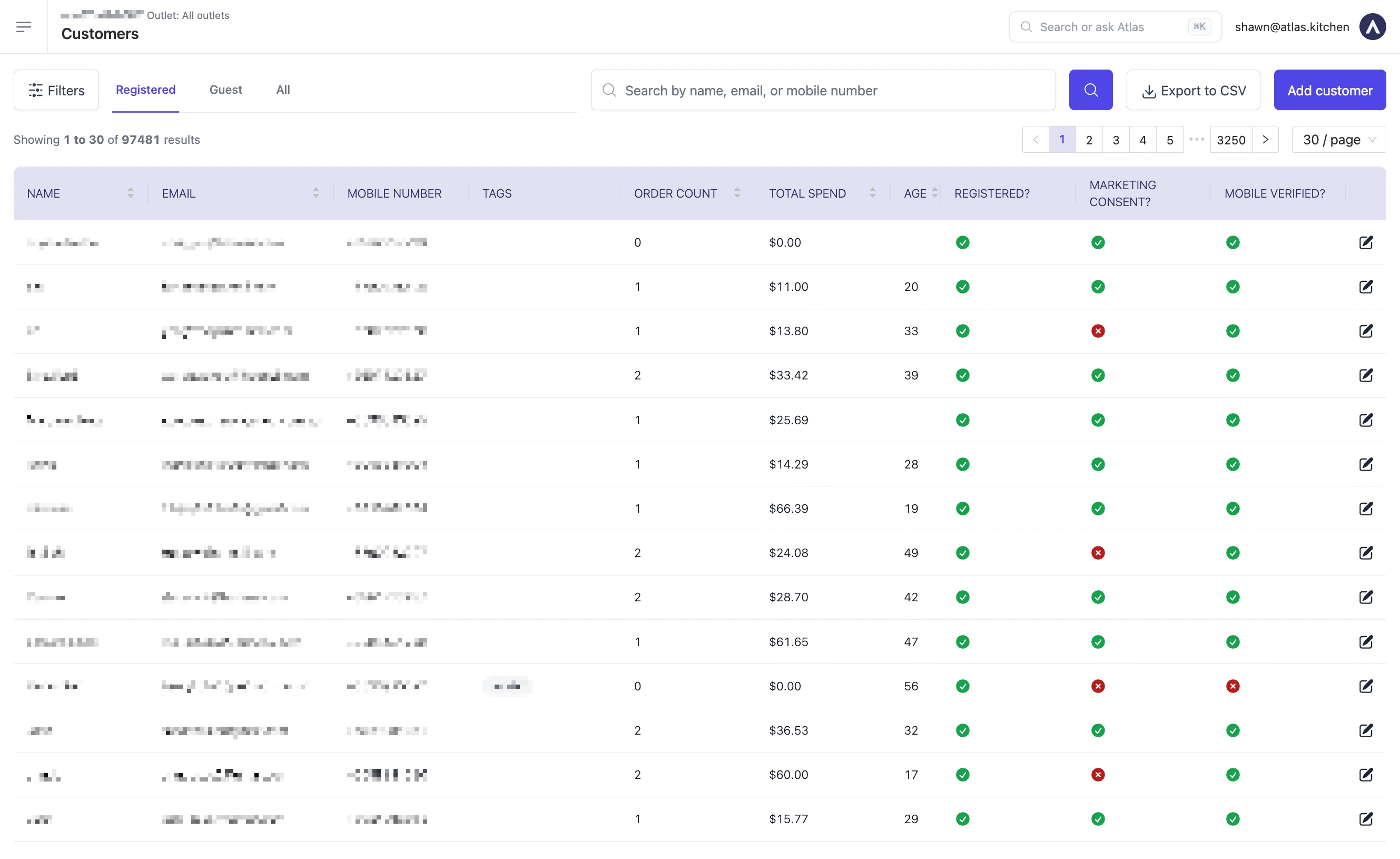
The Registered users tab in the Atlas Merchant Portal
Adding or removing credits for a customer
Use this to correct a balance. For example, an order did not earn rewards because the customer forgot to log in, or you want to give credits as a goodwill gesture.⚠️ The new balance applies immediately and the customer can redeem it on their next order. Every change is recorded against your staff account.
- Log in to the Atlas Merchant Portal.
- Tap the menu in the top-left corner, then select Customers.
- Under the Registered tab, tap the customer’s row. Their details panel opens on the right.
- Scroll to Loyalty programs, find the programme you want to change, then tap Edit credits.
- Select Add credits or Remove credits.
- Enter the amount and type a Reason. The reason is required.
- Check the Brand is correct. For Add credits, set the Expires on date if your programme expires credits.
- Tap Save.
- Remove credits only appears when the balance is above zero. You cannot take a customer below zero. Removing more than they hold shows an insufficient balance error.
- The customer must be a member, not a guest. Guests have no reward balance to edit.
- Points or cashback — enter a number of points on a points programme, or a dollar amount on a cashback programme. A points programme also shows what one point is worth underneath the amount field.
If Edit credits is not there
- Check the customer is under the Registered tab. Guests cannot hold credits.
- Check the Loyalty programs section does not say “Customer is not part of any loyalty programs”. A customer can only hold credits once they have joined a programme.
- If it is still missing, your role does not have loyalty permissions. Contact Atlas support at hello@atlas.kitchen to have them added.