

What this report shows
Loyalty program performance including signups, points earned and spent, member retention, and lifetime value comparison between members and non-members.Data refreshes hourly. Last refresh time appears at the top.
Filters

Loyalty report filters
- Date — Date range. Defaults to past 3 months.
- First order brand — Filter by brand where customer first ordered.
- First order outlet — Filter by outlet where customer first ordered.
Sections
User summary and points summary
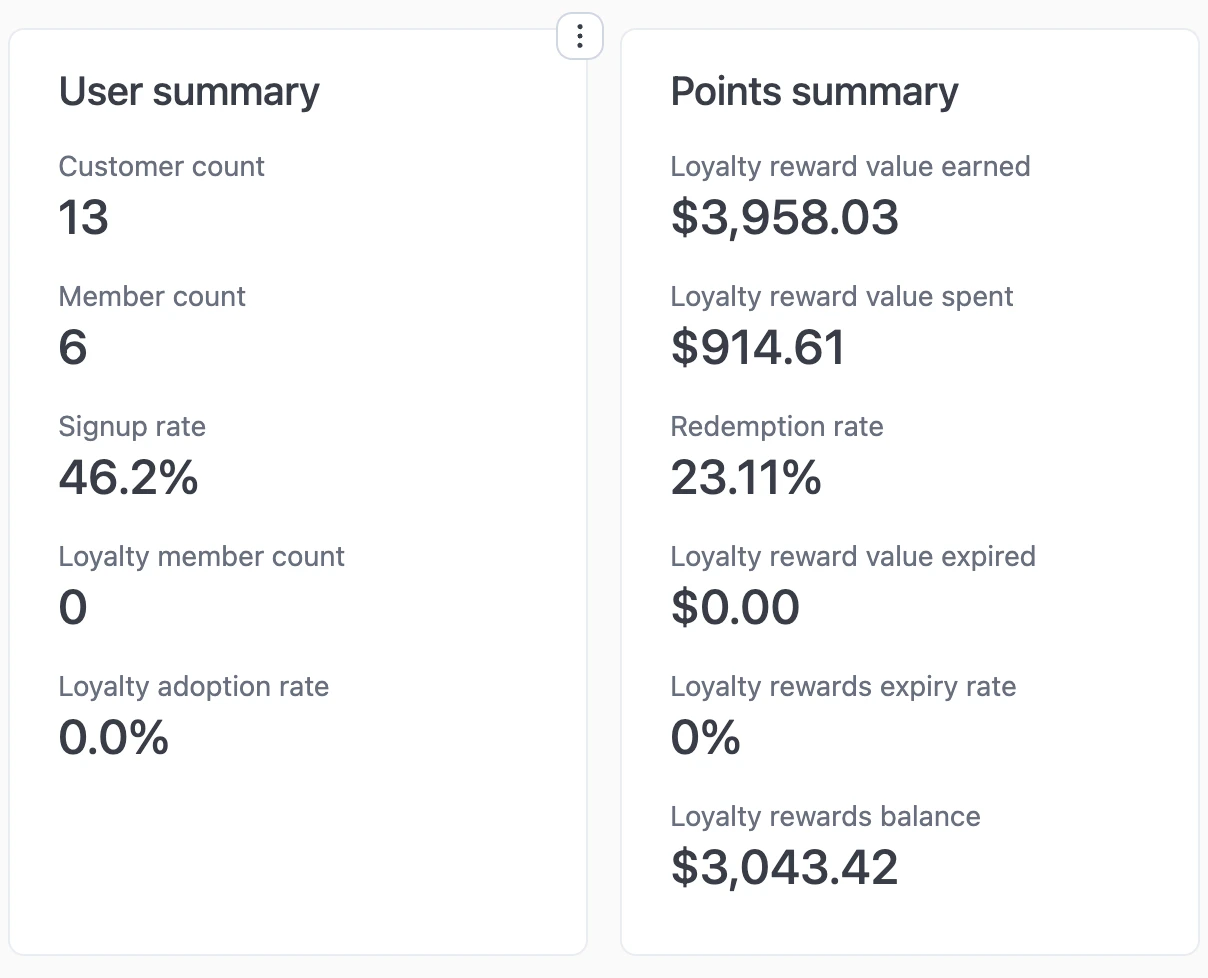
User and points summary
- Customer count — Total customers in the filtered period.
- Member count — Customers who signed up (created an account).
- Signup rate — Member count ÷ customer count.
- Loyalty member count — Members enrolled in the loyalty program.
- Loyalty adoption rate — Loyalty members ÷ total members.
- Loyalty reward value earned — Total value of points earned.
- Loyalty reward value spent — Total value of points redeemed.
- Redemption rate — Value spent ÷ value earned.
- Loyalty reward value expired — Value of points that expired.
- Loyalty rewards expiry rate — Expired ÷ earned.
- Loyalty rewards balance — Outstanding points value (earned - spent - expired).
AI insights
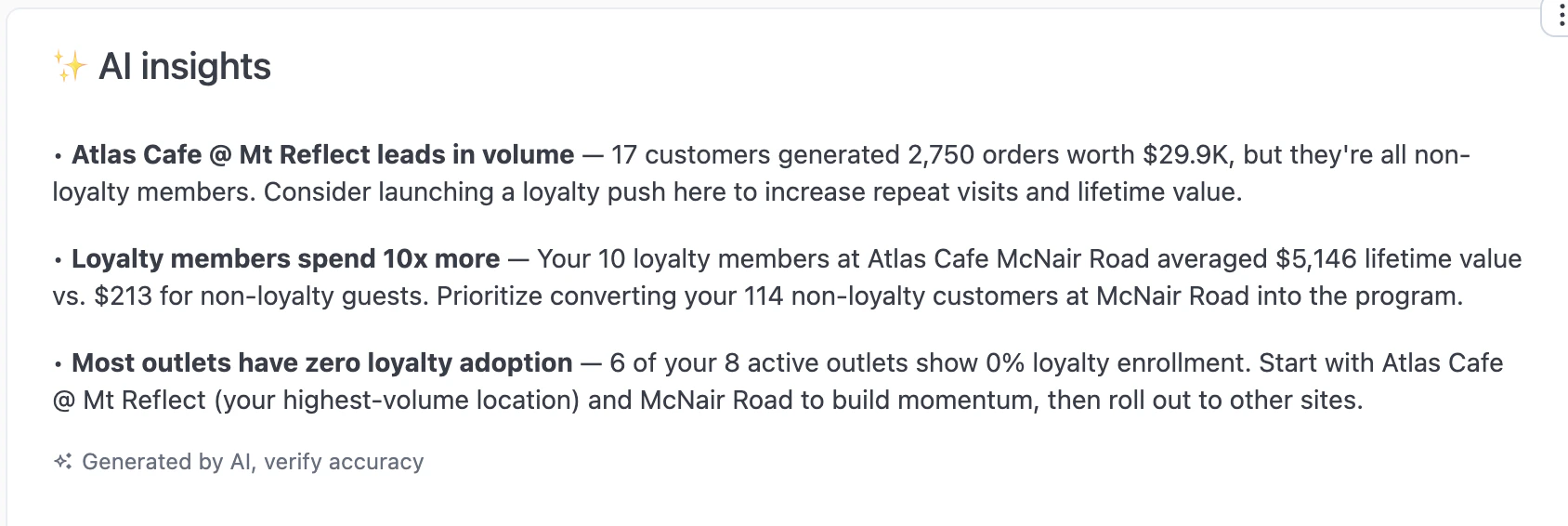
AI insights
Points summary by source
Loyalty points activity broken down by order source.% orders from members (weekly)
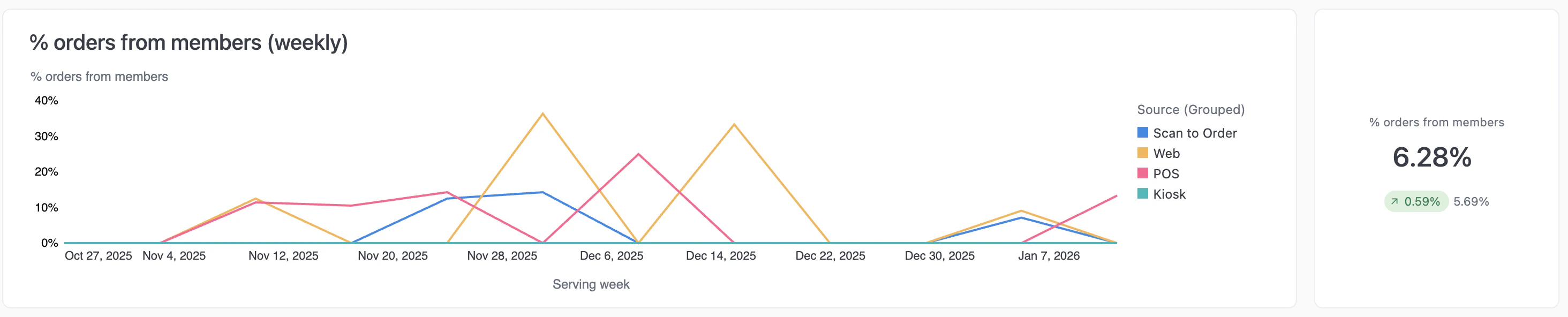
Orders from members
% of orders with points earned (weekly)
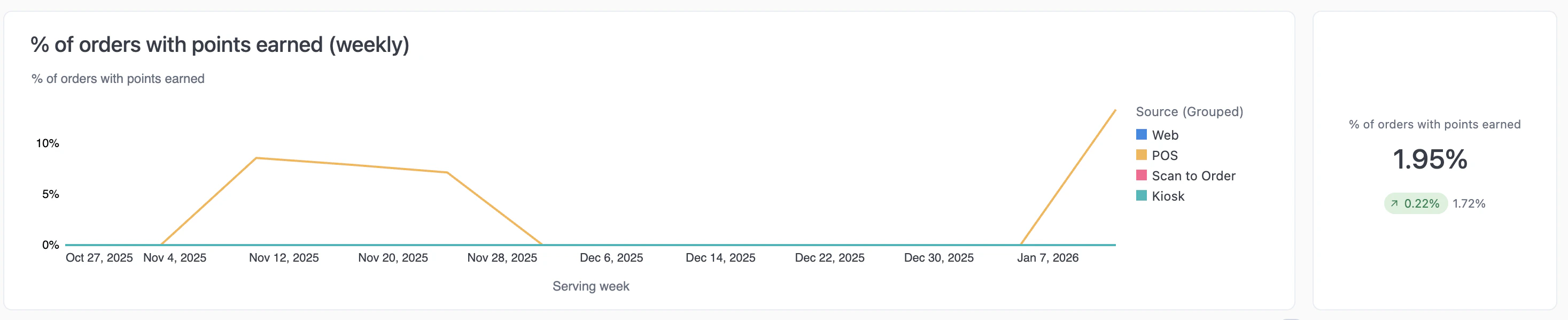
Orders with points earned
% of orders with points spent (weekly)
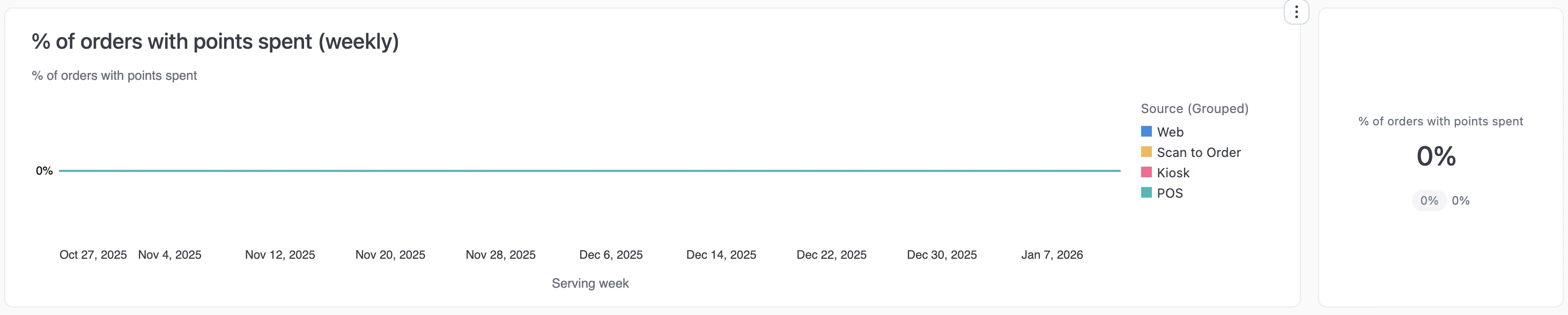
Orders with points spent
Signup rate (monthly)
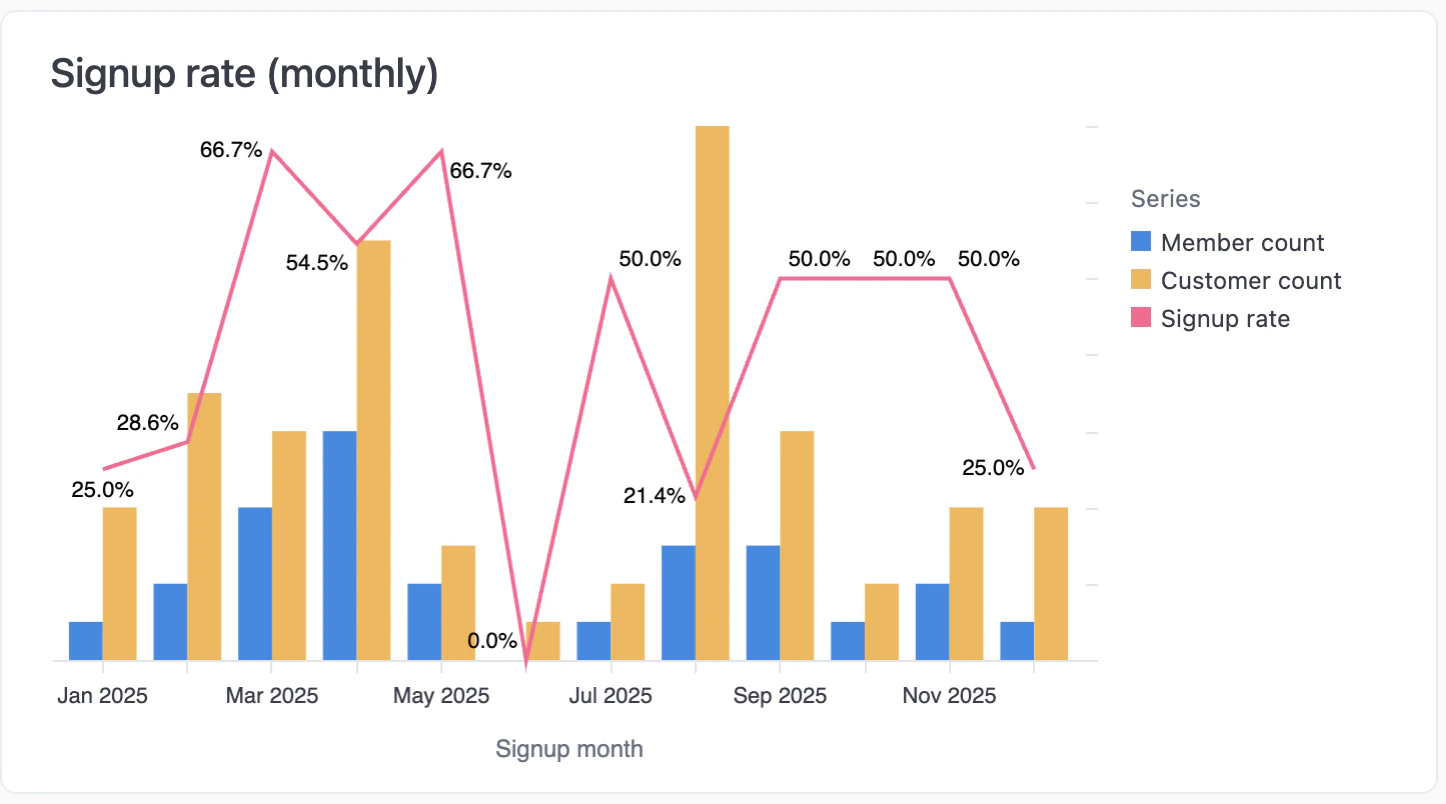
Signup rate over time
Lifetime value by loyalty status
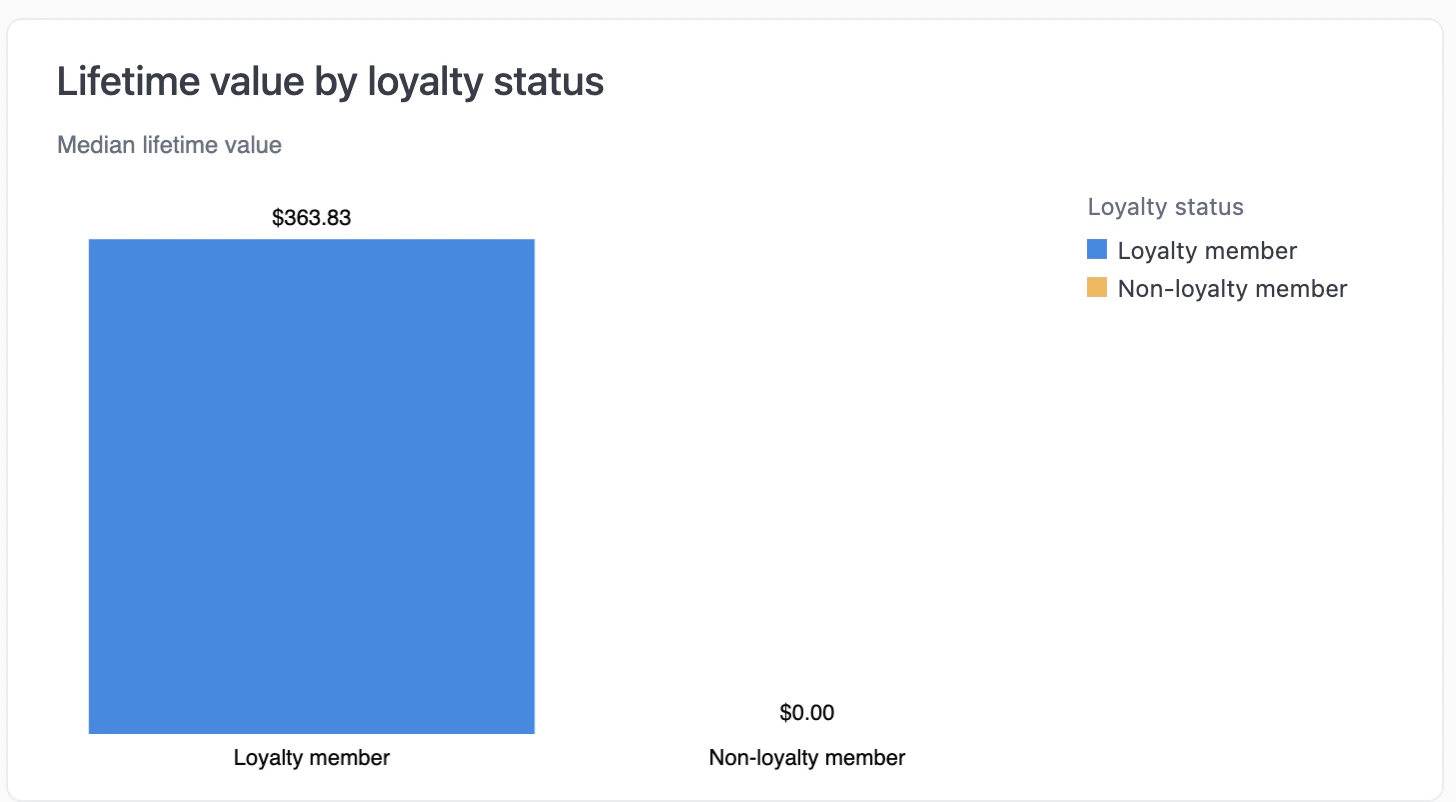
Lifetime value comparison
User retention by loyalty status
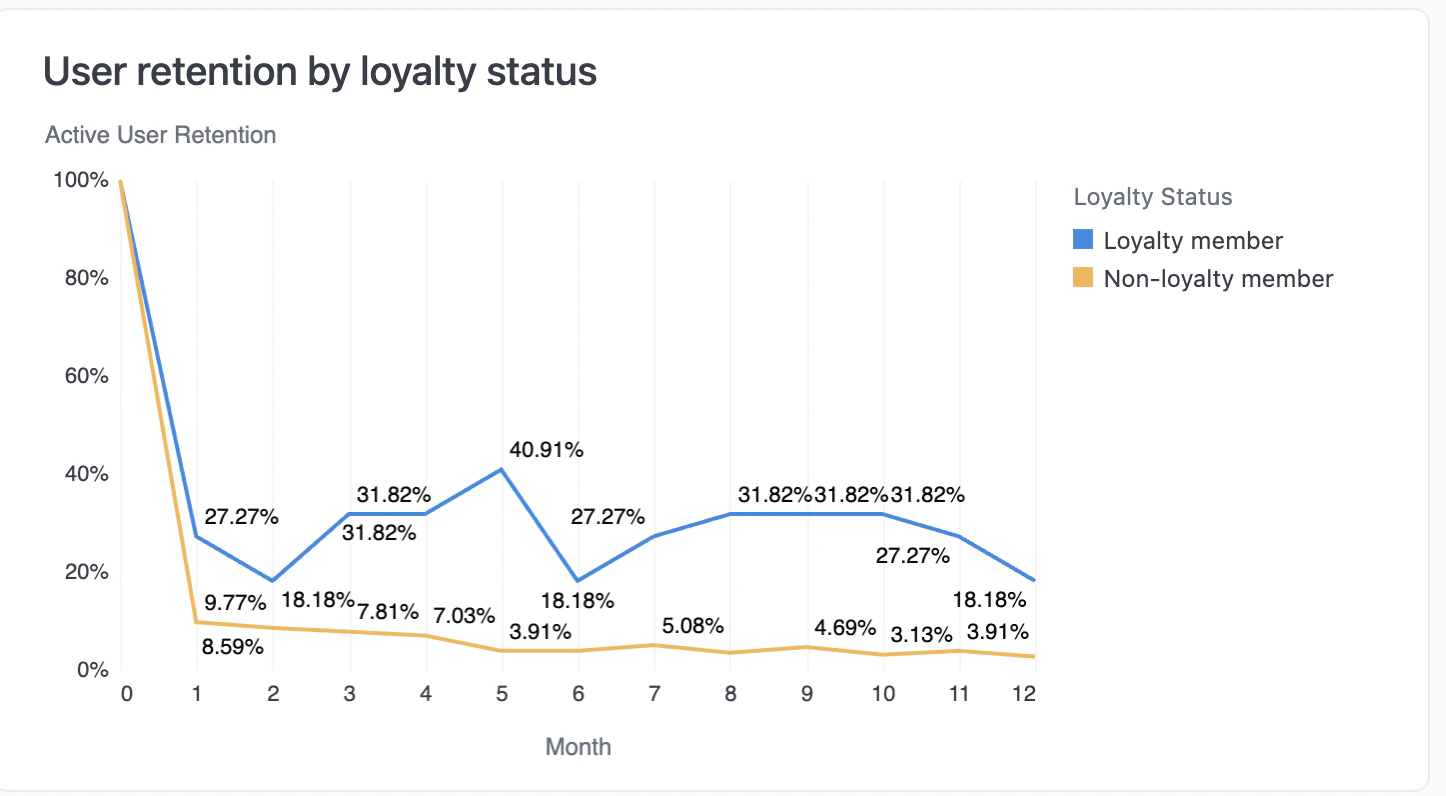
Retention by loyalty status
Members by activity status
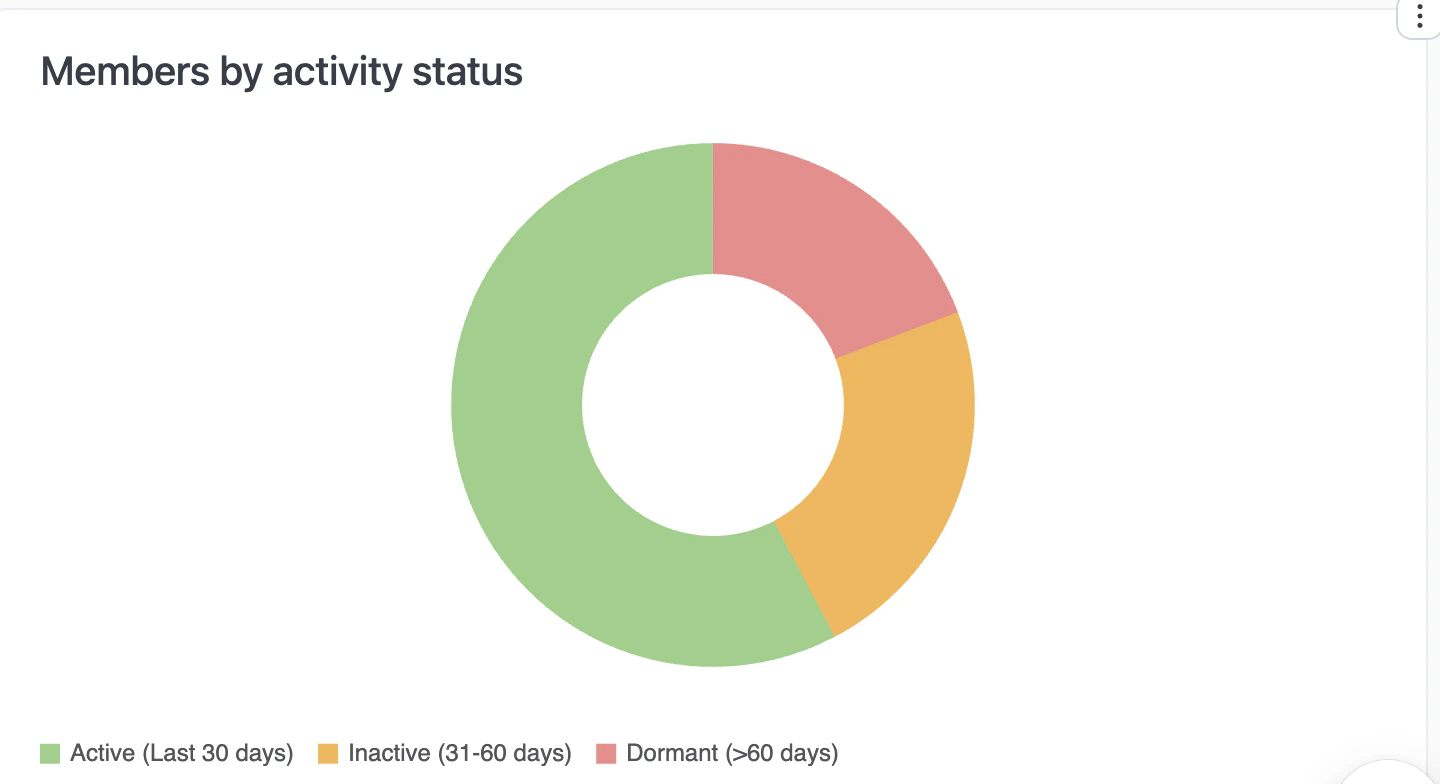
Members by activity status
- Active (Last 30 days) — Ordered recently.
- Inactive (31-60 days) — No orders in 31-60 days.
- Dormant (>60 days) — No orders in over 60 days.
Interactive features
- Drill down — Click any metric or chart to see underlying data.
- Download — Export data from any chart or table.
- Copy values — Click any metric to copy to clipboard.
- AI assistant — Ask questions about your data. See Using reports.