

Cross-sell is a marketing tool that prompts diners to add complementary items before they check out. It appears on Scan-to-Order, Kiosk, and Atlas Online.
What cross-sell does
When a diner adds a triggering item to their cart, Atlas shows them a suggestion to add something that goes well with it — a popup on the menu and a section in the cart.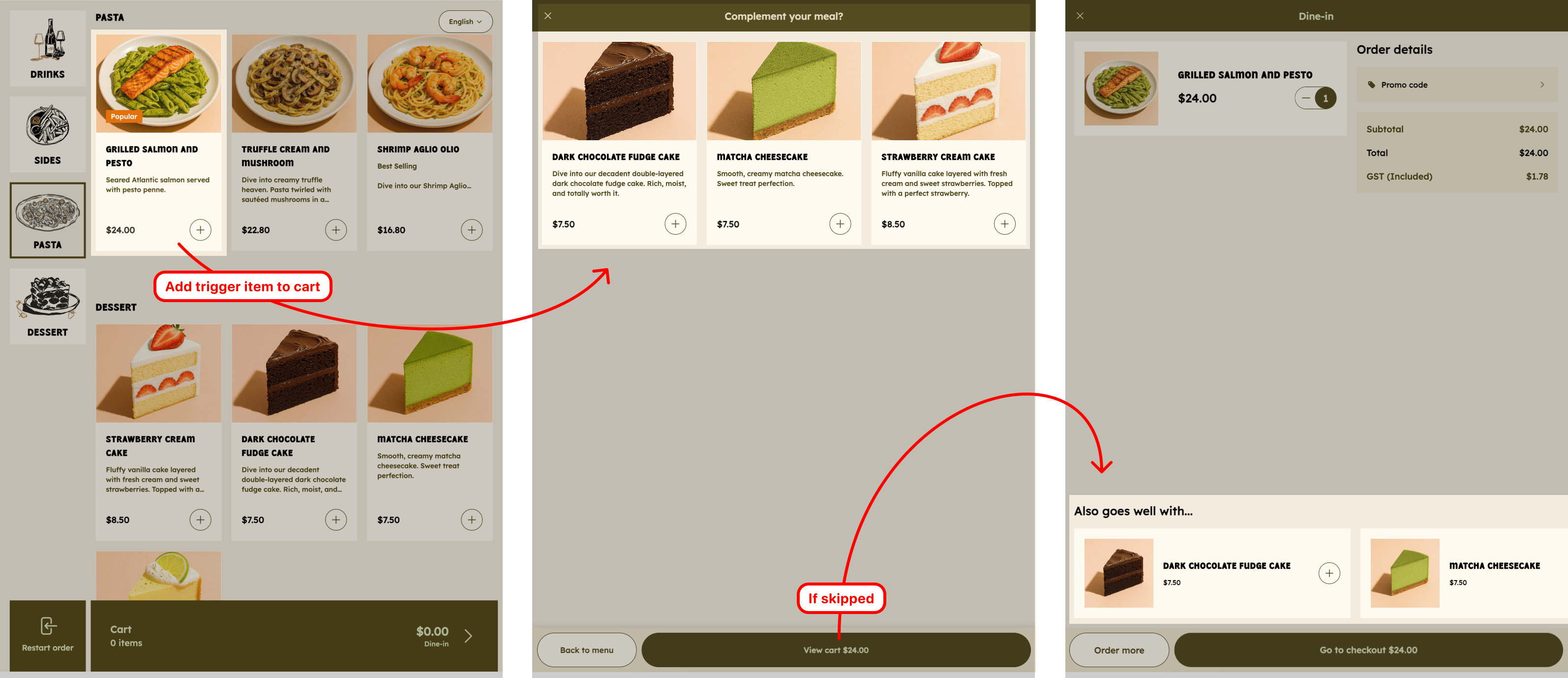
Cross-sell prompts appear as a popup after adding an item, and as a section in the cart.
Where it appears
- Scan-to-Order — diners ordering from the QR menu
- Kiosk — self-order kiosk in-store
- Atlas Online — your online storefront
Set up a cross-sell group
- In the Merchant Portal, go to Marketing tools → Cross-sell.
- Click Create new cross-sell group.
- Add a name and description for personal reference. This would not show to diners.
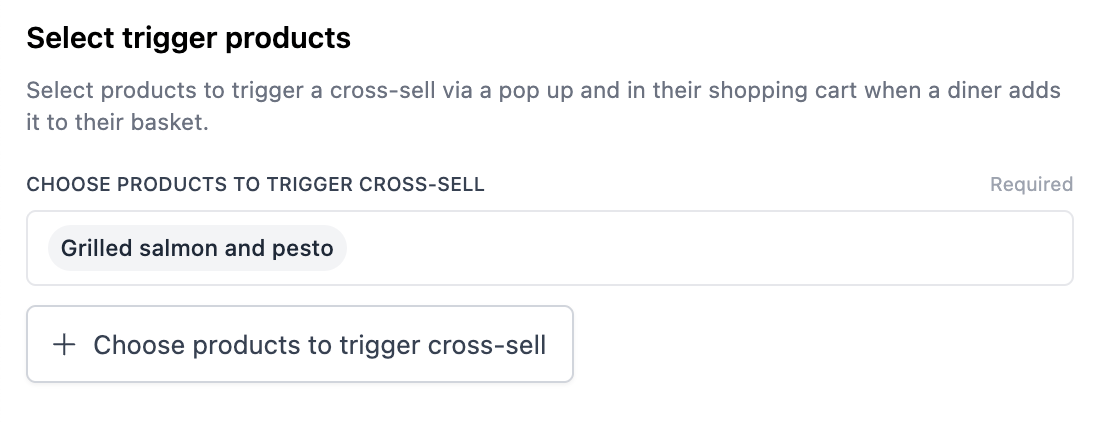
- Choose the trigger products — the items that, when added to cart, will show the suggestion.
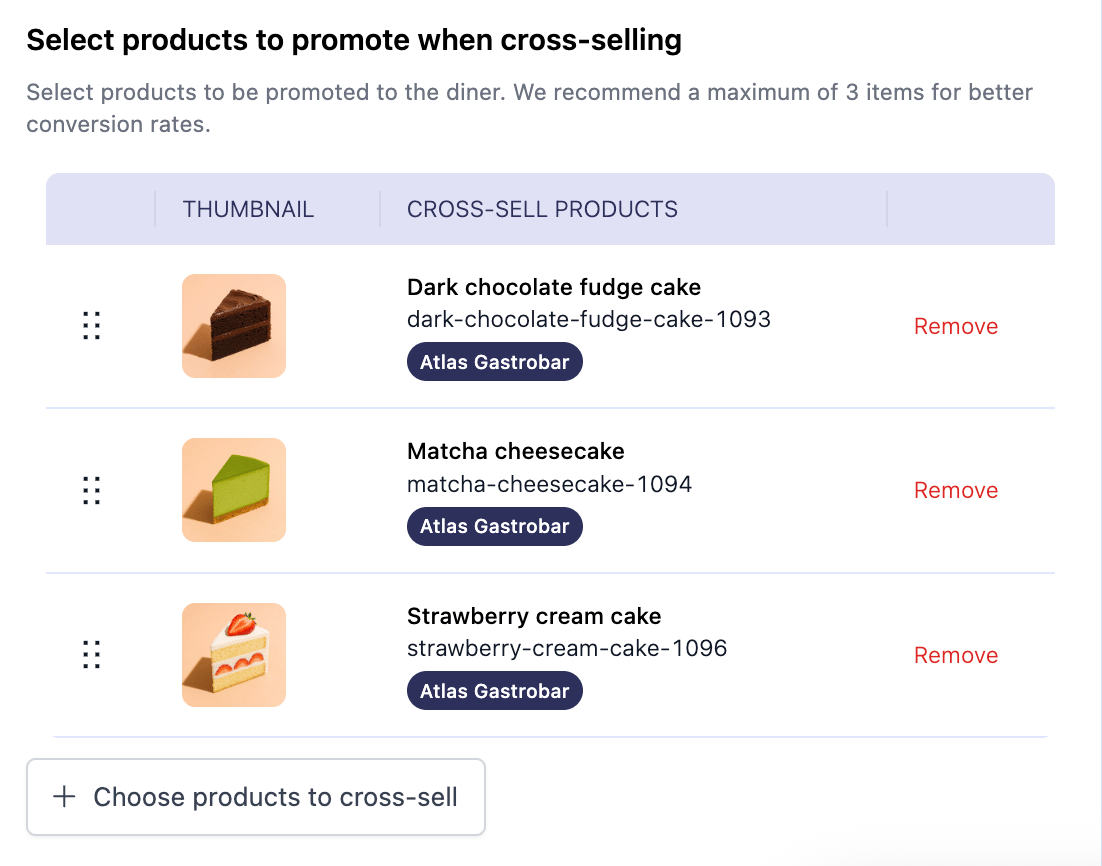
- Choose the suggested products — what you want to recommend alongside them.
- Save. The group is live immediately across Scan-to-Order, Kiosk, and Atlas Online.
Limitations
- The popup and the cart section are always shown together, i.e., you can’t enable just one.
- Products need to be in the menu. The suggestion only shows when both the trigger and product to promote is in the menu.
- Each product can only be assigned as a trigger to one group. Assigning it to another group removes it from the previous group.
Common use cases
- Increase AOV by putting popular or high-margin items in front of diners at the right moment.
- Highlight new items by attaching them as suggestions to your best-sellers.