Available for: Manager Finance Admin This report is currently in open beta. Leave feedback → Go to report →

What this report shows

Which promo codes are used most, how much they cost, and where discounts concentrate by outlet, time of day, source, and product category.
Data refreshes hourly. Last refresh time appears at the top.

Filters

Filters showing serving date, outlet, fulfilment type, source, promo code, and reason
  • Serving date — Date range. Defaults to past 30 days.
  • Outlet — Filter by outlet.
  • Fulfilment type — Dine-in, Pickup, Delivery.
  • Source — Order source (POS, Kiosk, Web, etc.).
  • Promo code — Filter by specific promo code.
  • Reason — Filter by discount reason.

Sections

Key metrics
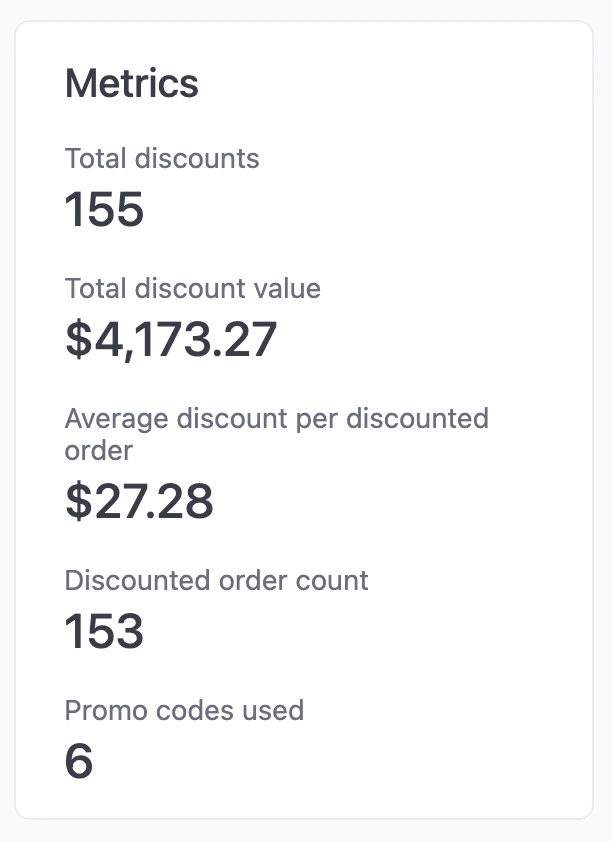
Metrics showing total discounts, total discount value, and average discount per order
  • Total discounts — Count of orders that received a discount.
  • Total discount value — Sum of all discount amounts.
  • Average discount per discounted order — Total discount value ÷ total discounts.

AI summary
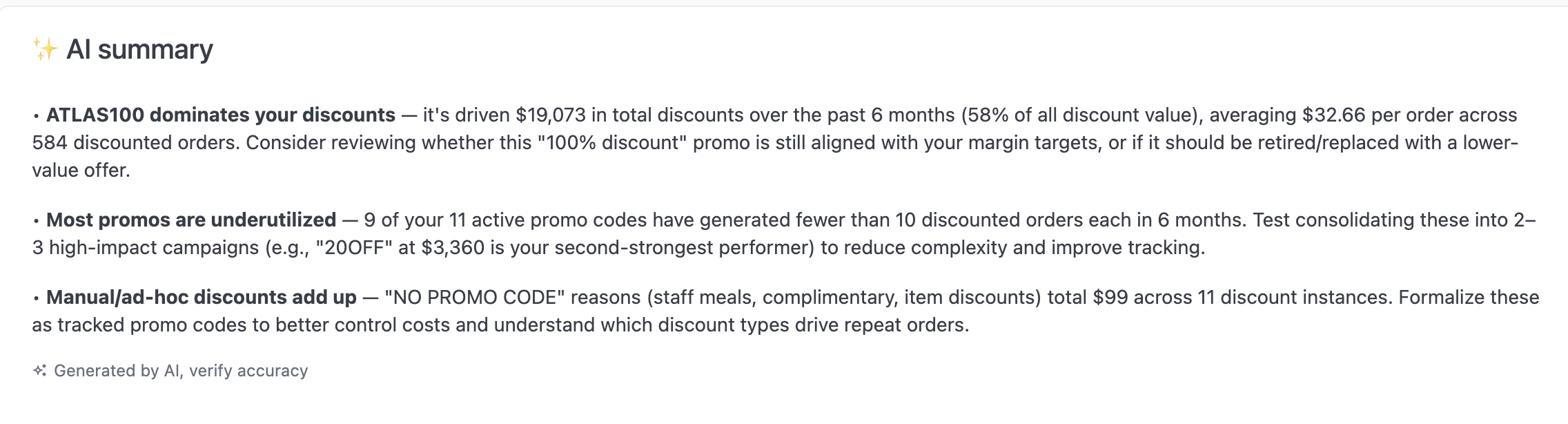
AI-generated summary highlighting top discount codes and usage patterns
AI-generated insights about discount performance, top codes, and margin impact.

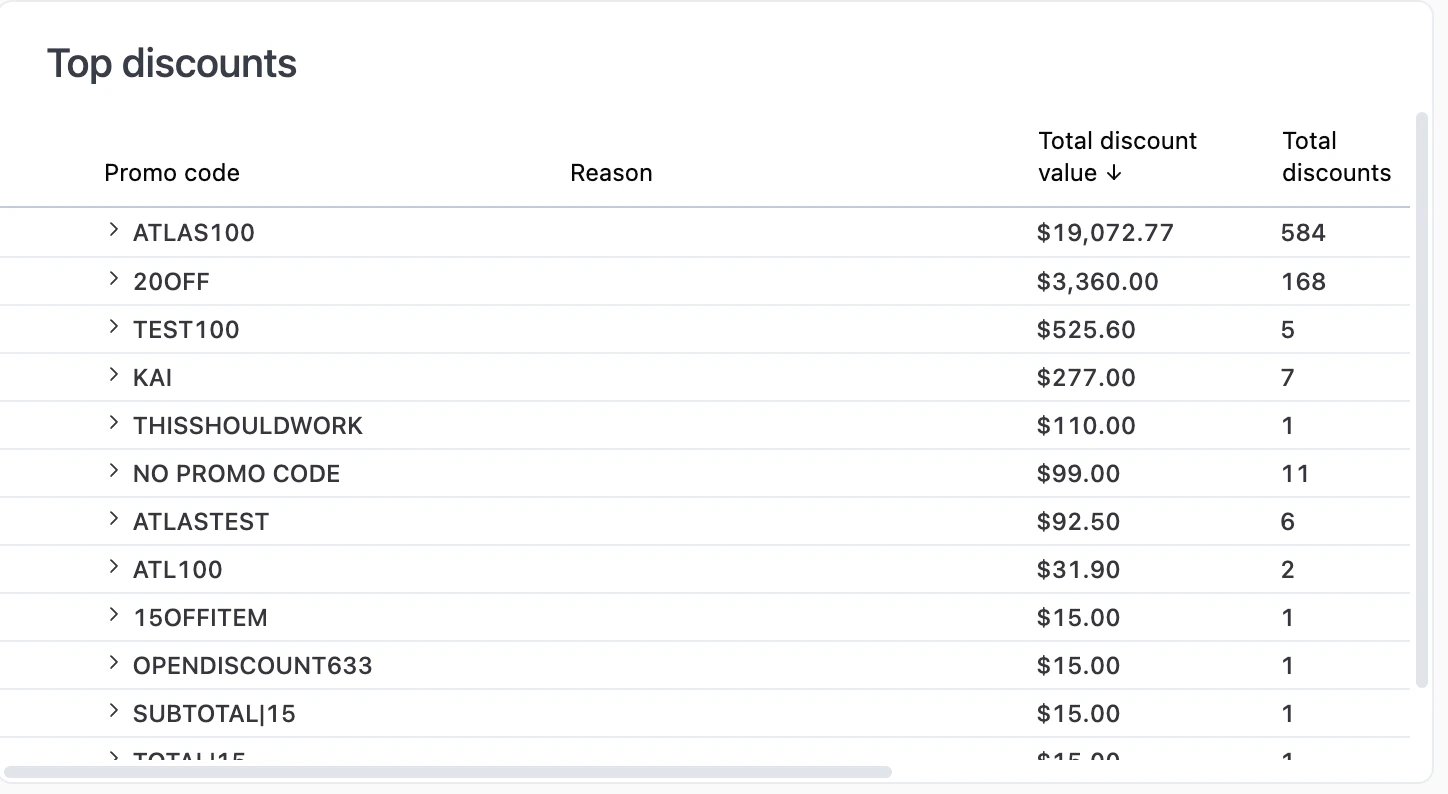
Top discounts

Table showing promo codes with usage count, expandable to see details
Promo codes ranked by usage count. Click any row to expand and see code details.

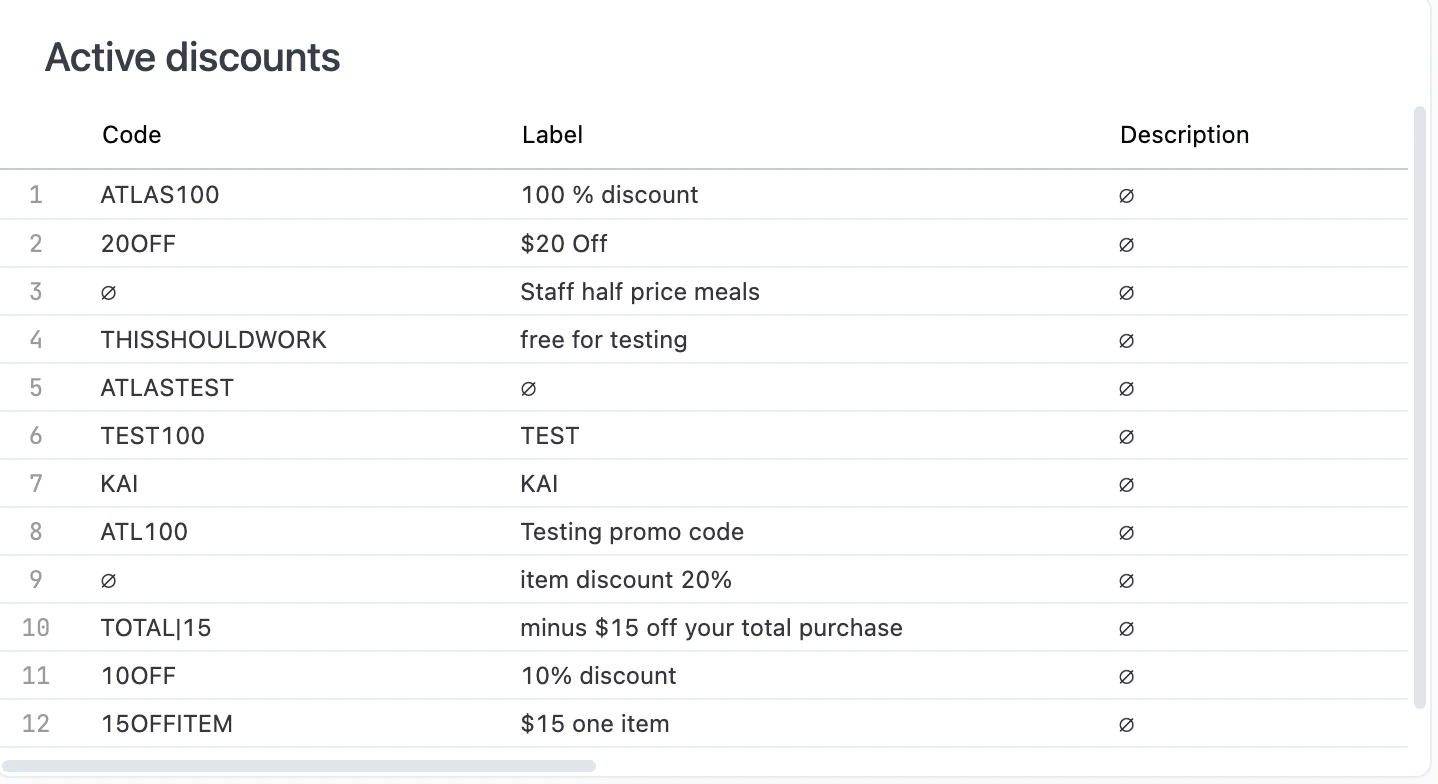
Active discounts

Table showing currently active promo codes with labels
Currently enabled discount codes. Right-click any code to edit the discount or copy the value.

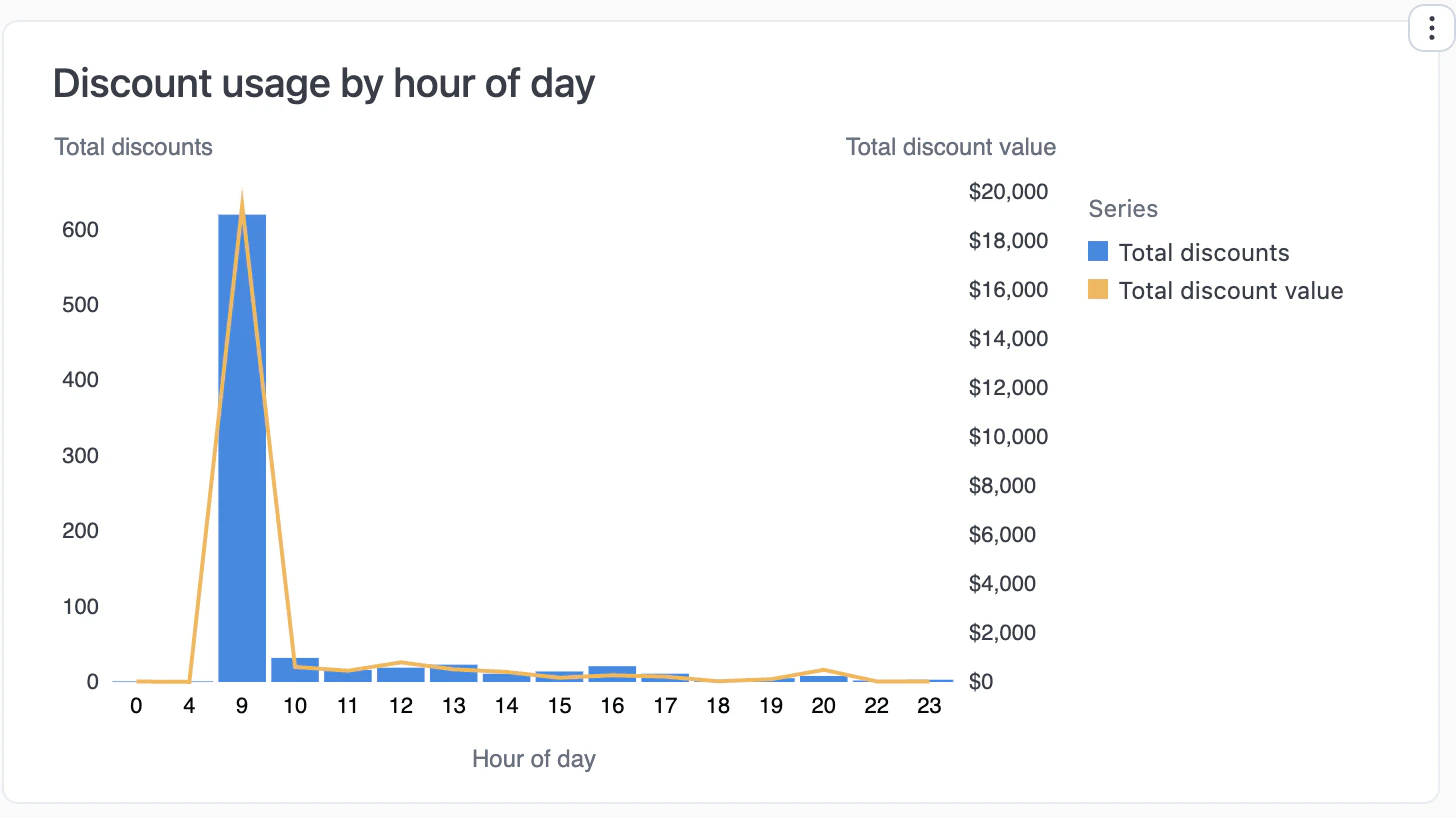
Discount usage by hour of day

Combination chart showing discount count as bars and value as line across hours
When discounts are used most. Blue bars show count (left axis), orange line shows total value (right axis).

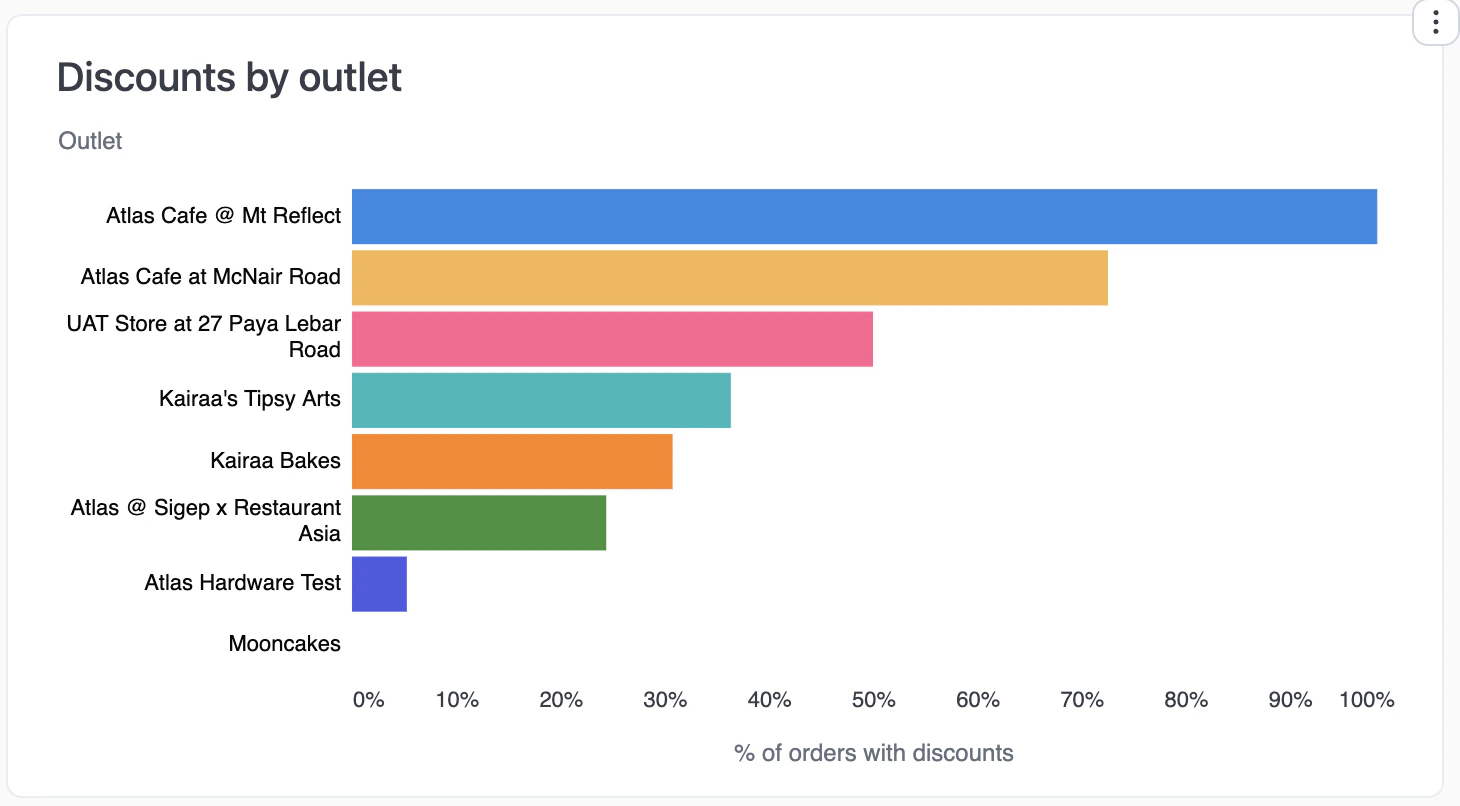
Discounts by outlet

Horizontal bar chart showing percentage of orders with discounts per outlet
Percentage of orders with discounts at each outlet. High percentages may indicate over-reliance on discounts.

Discounts by source

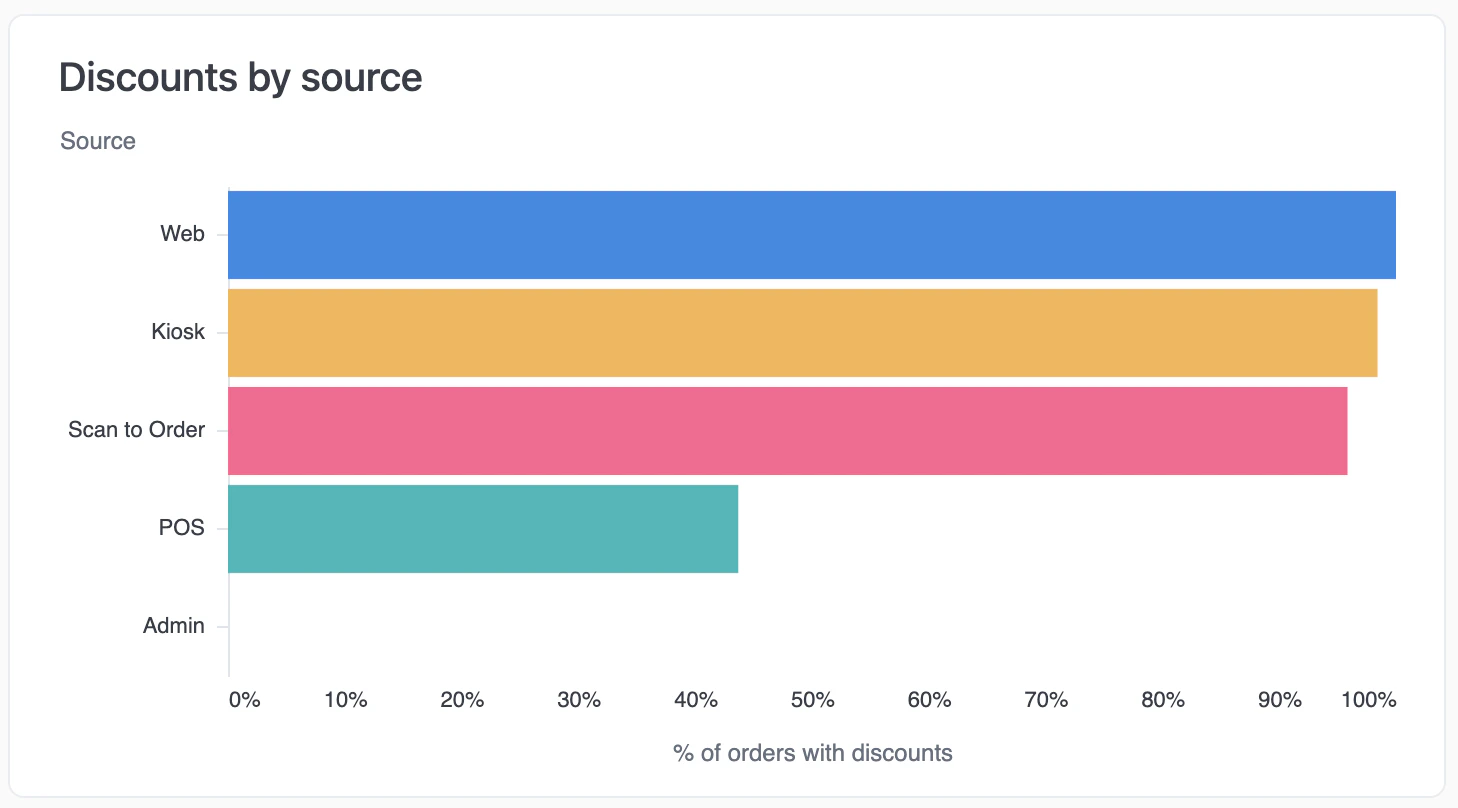
Horizontal bar chart showing percentage of orders with discounts by order channel
Percentage of orders with discounts by channel (Scan to Order, Web, Kiosk, POS).

Discounts by fulfilment type

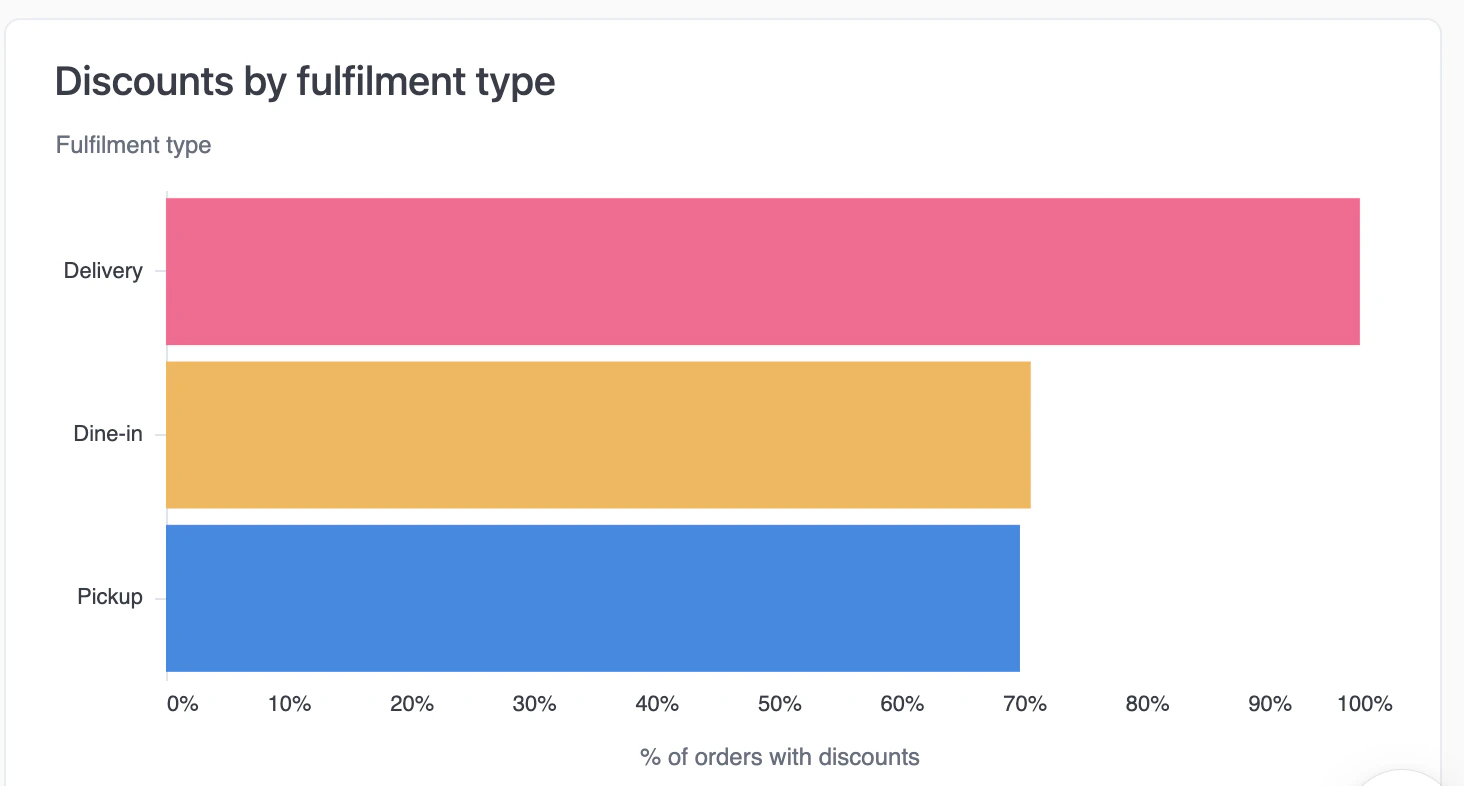
Horizontal bar chart showing percentage of orders with discounts by fulfilment type
Percentage of orders with discounts by order type (Delivery, Dine-in, Pickup).

Item discounts by category

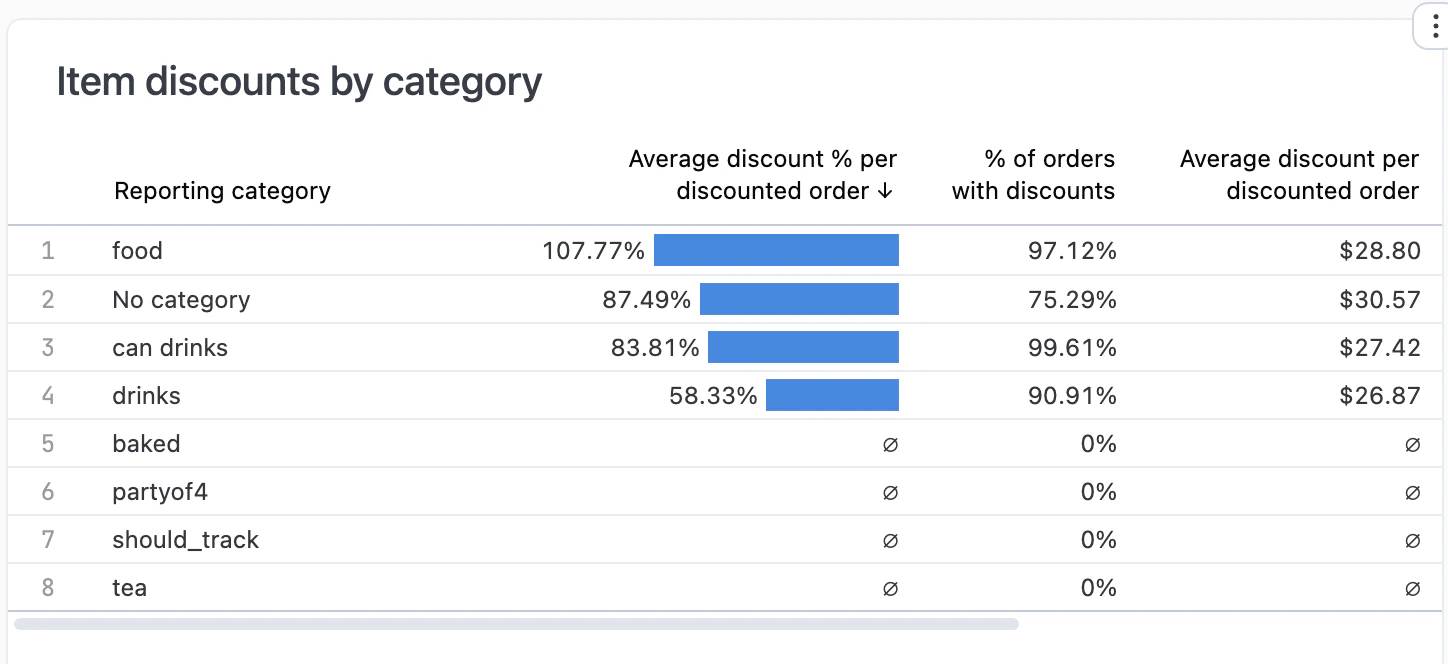
Table showing average discount percentage by reporting category
Average discount percentage by product category.
Values over 100% mean discounts exceeded revenue for that category—typically loss-leader pricing.
To set up categories, edit your product on the Products page and set its Reporting category.

Item discounts

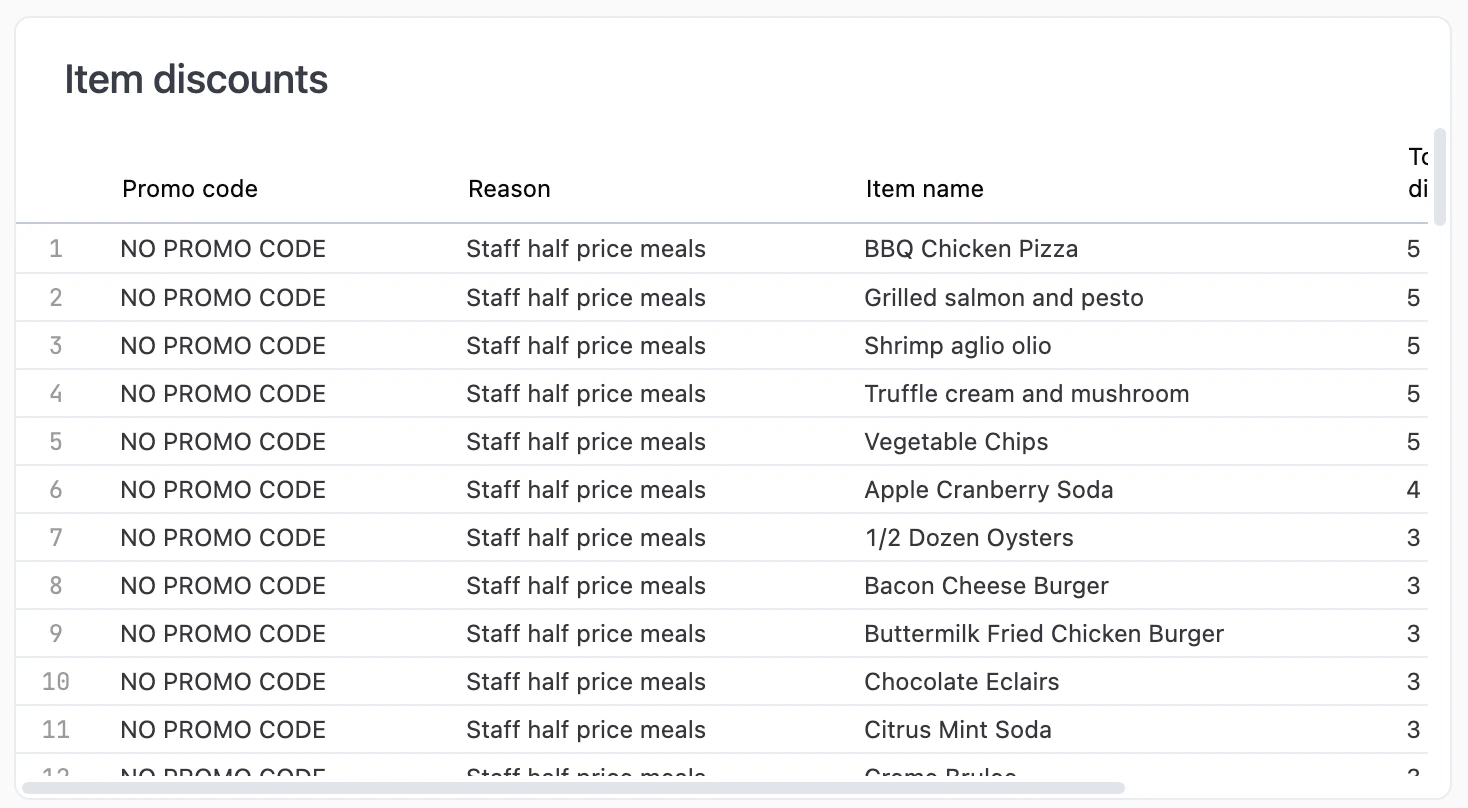
Table showing individual item-level discounts
Individual item-level discounts. If this shows “No Results”, only order-level or promo code discounts were applied during the filtered period.

Interactive features

  • Drill down — Click any metric or chart bar to see underlying data.
  • Download — Export data from any chart or table.
  • Copy values — Click any metric to copy to clipboard.
  • AI assistant — Ask questions about your data. See Using reports.