

Documentation Index
Fetch the complete documentation index at: https://help.atlas.kitchen/llms.txt
Use this file to discover all available pages before exploring further.
New features are only available for merchants on our latest subscription plans. Contact your account manager to upgrade your plan and access these features.
Quick close voided orders, better clarity on product availability, cart creation API upgrades
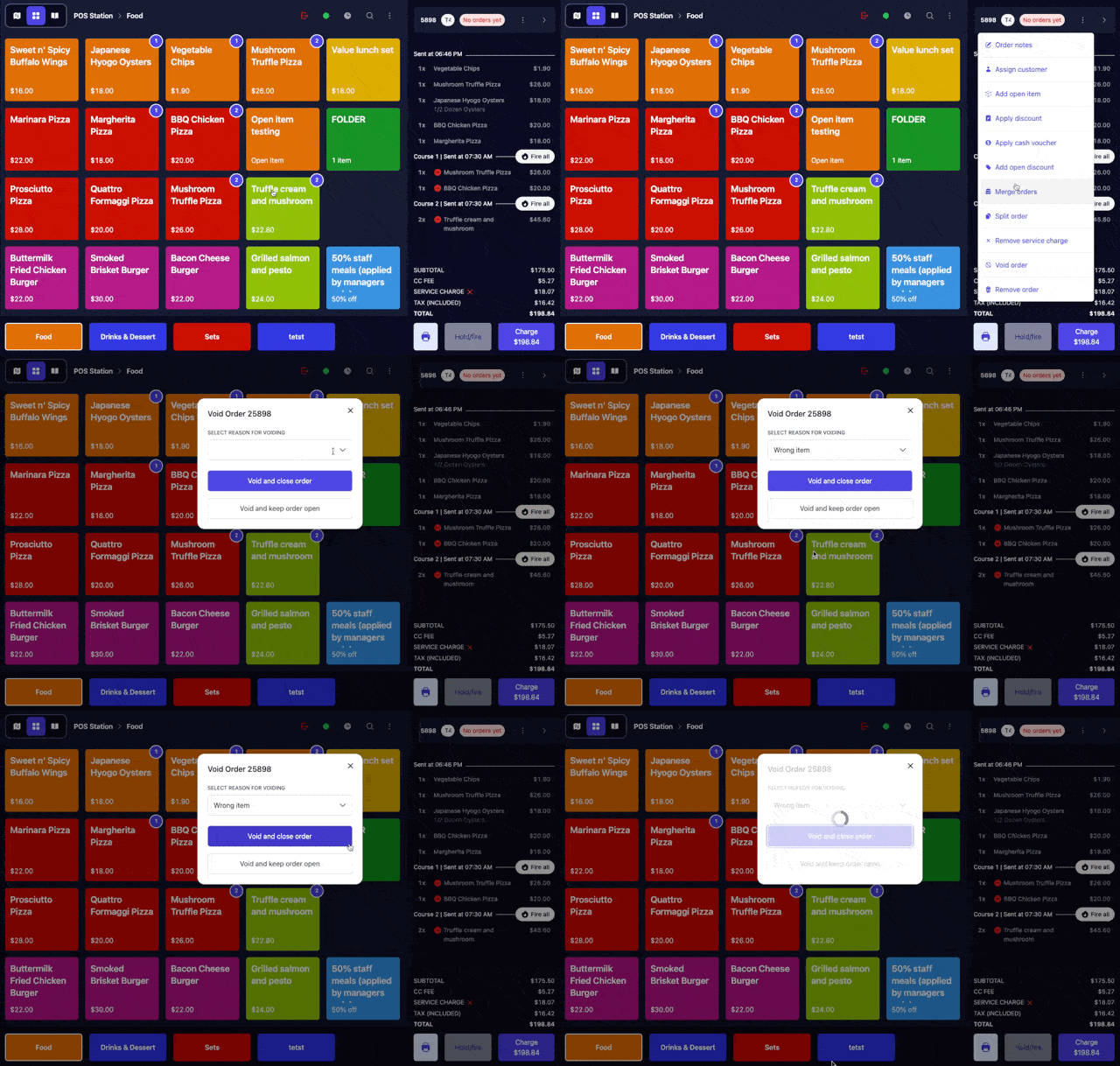
- Voiding an entire order now provides quick shortcut options to either close the order immediately or keep it open for further adjustments.
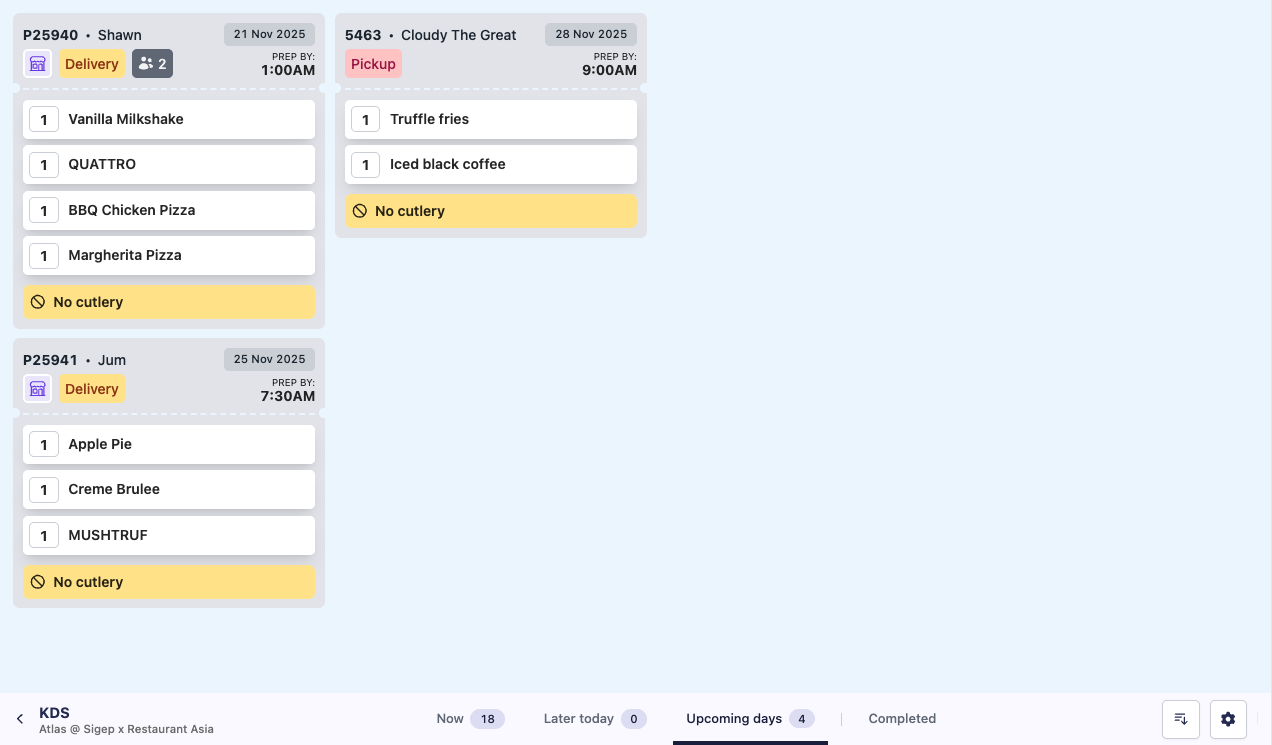
- Your “Upcoming days” tab now shows the order dates for all pre-order tickets that are not scheduled for preparation today.
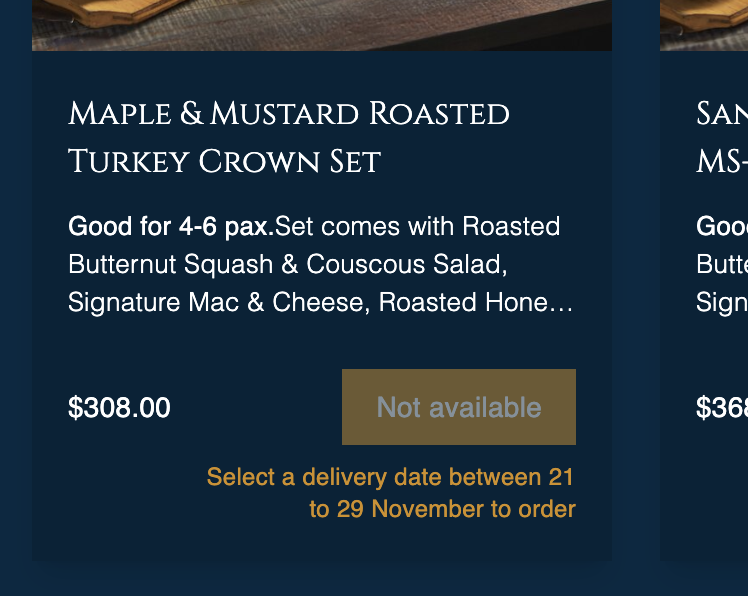
- Optimised how product availability is displayed to customers on your online ordering website for greater clarity ahead of the upcoming festive ordering period.
- Stock blocks within a specified date range now trigger a stock update event on our API webhook, allowing your services to receive immediate updates.
- The cart creation API now supports sending a paid amount to the POS, enabling scenarios like reservations with pre-paid deposits attached to orders.
- Additionally, the cart creation API now allows guest details to be sent to the POS, making it easier to collect and store valuable metadata from integrated services.
- Sections can now be searched using either section IDs or section names in your merchant portal.
- Your sales summary report now includes performance data for each seating area on your restaurant floor plan.
- Archived outlets are no longer selectable or viewable on the stocks page to streamline your inventory management.
Open discount tiles, QR ordering history for guests, bulk modifier group/modifier assignment
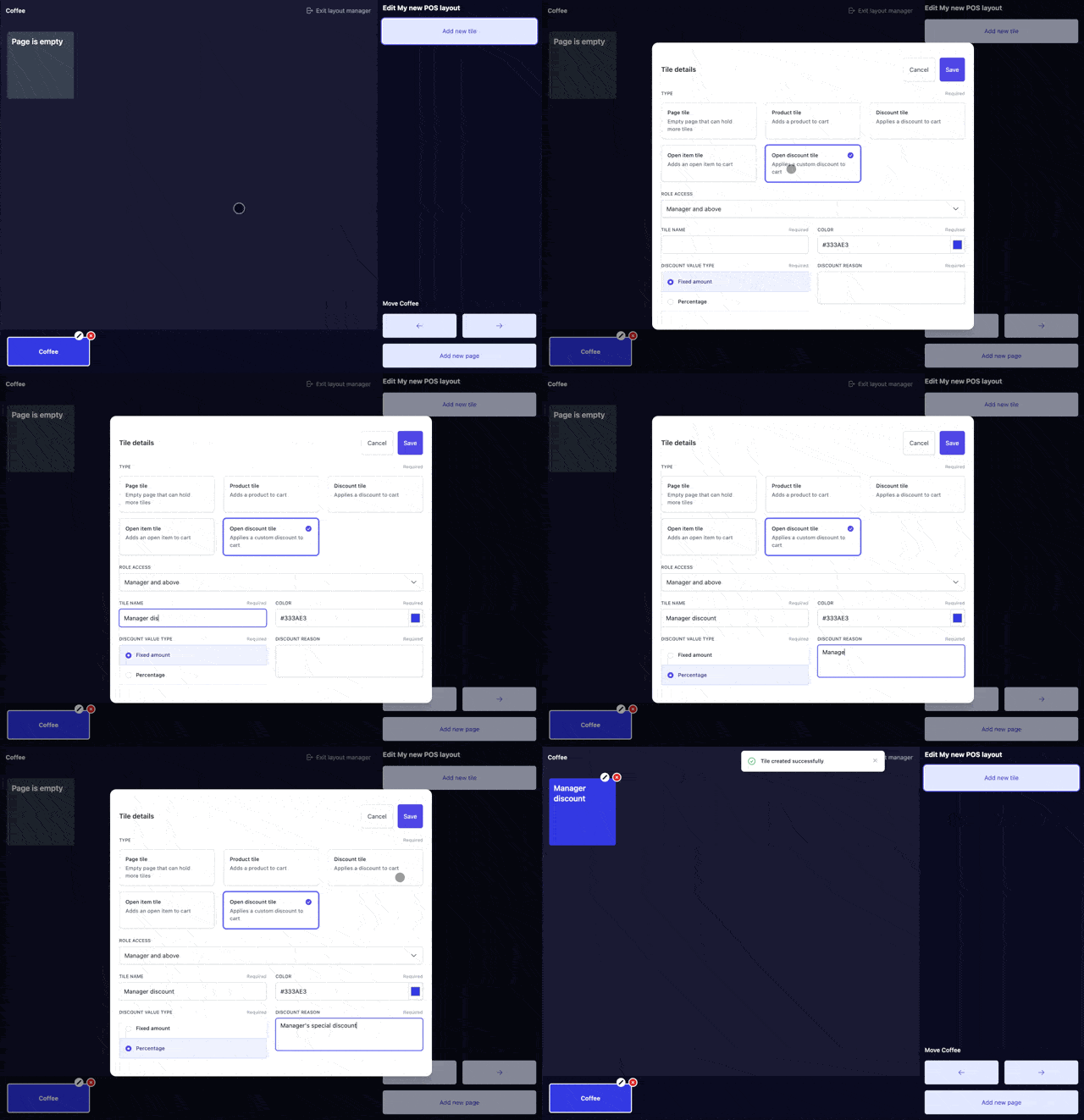
- Open discounts can now be created as a tile on your POS. This allows staff to enter discounts in a controlled, flexible way while keeping them consistently categorised and tracked. Pair with role-based tile access to limit this feature to specific roles.
- Added support for “Order again” on open items in the POS
- Fixed a bug where items would get stuck and unsent to the kitchen when it crossed the next day past midnight.
- Your QR ordering experience now stores order histories even for guests (as long as they don’t go incognito 😉), no more searching through their email inbox to find past orders / recalling their order numbers.
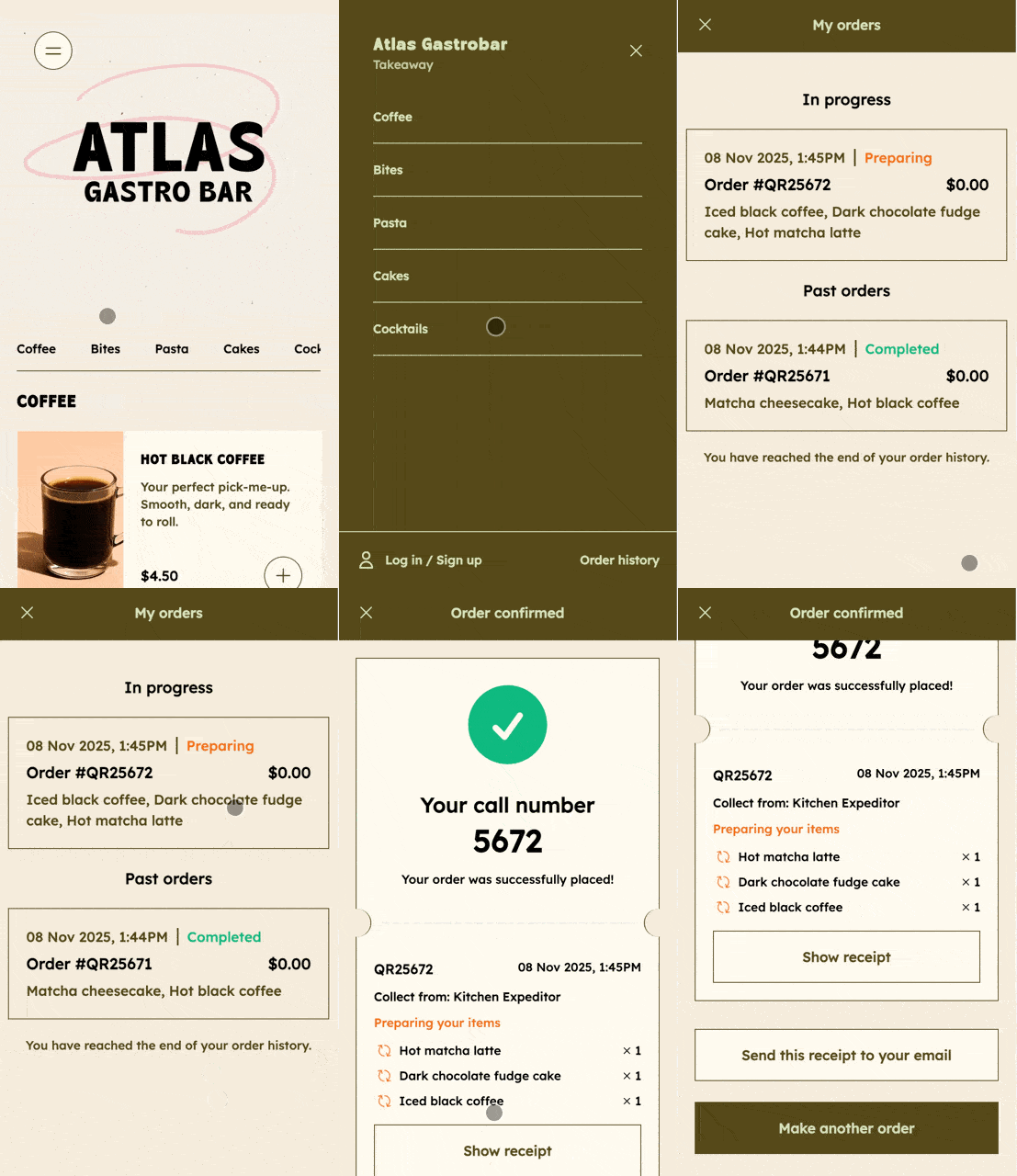
- UIUX improvements on the loyalty login page on the QR ordering interface.
- Smoothened and optimised scroll interaction on the kiosk across all devices.
- Fixed a bug where selected modifiers were not showing on the cart
- Added support for orders synced in via our orders API to support source labels and external order IDs for easier identification and matching.
- Added support for more detailed item-level discounts on the GET order API payload.
- Added support for product tags, printer tags, and reporting categories on our create menu API.
- Added support for the stock update event to trigger when an item is sold out.
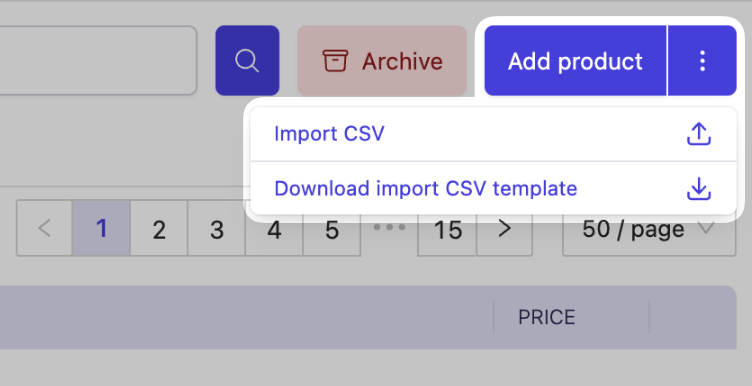
- On top of creating multiple items at a go, you can now also mass assign modifiers to modifier groups and modifier groups to your products via the CSV bulk import interface.
- Fixed a bug that sometimes prevents your stations from loading under outlet settings.
Role and permission-based POS tiles, open item tiles, print latin special characters with accents
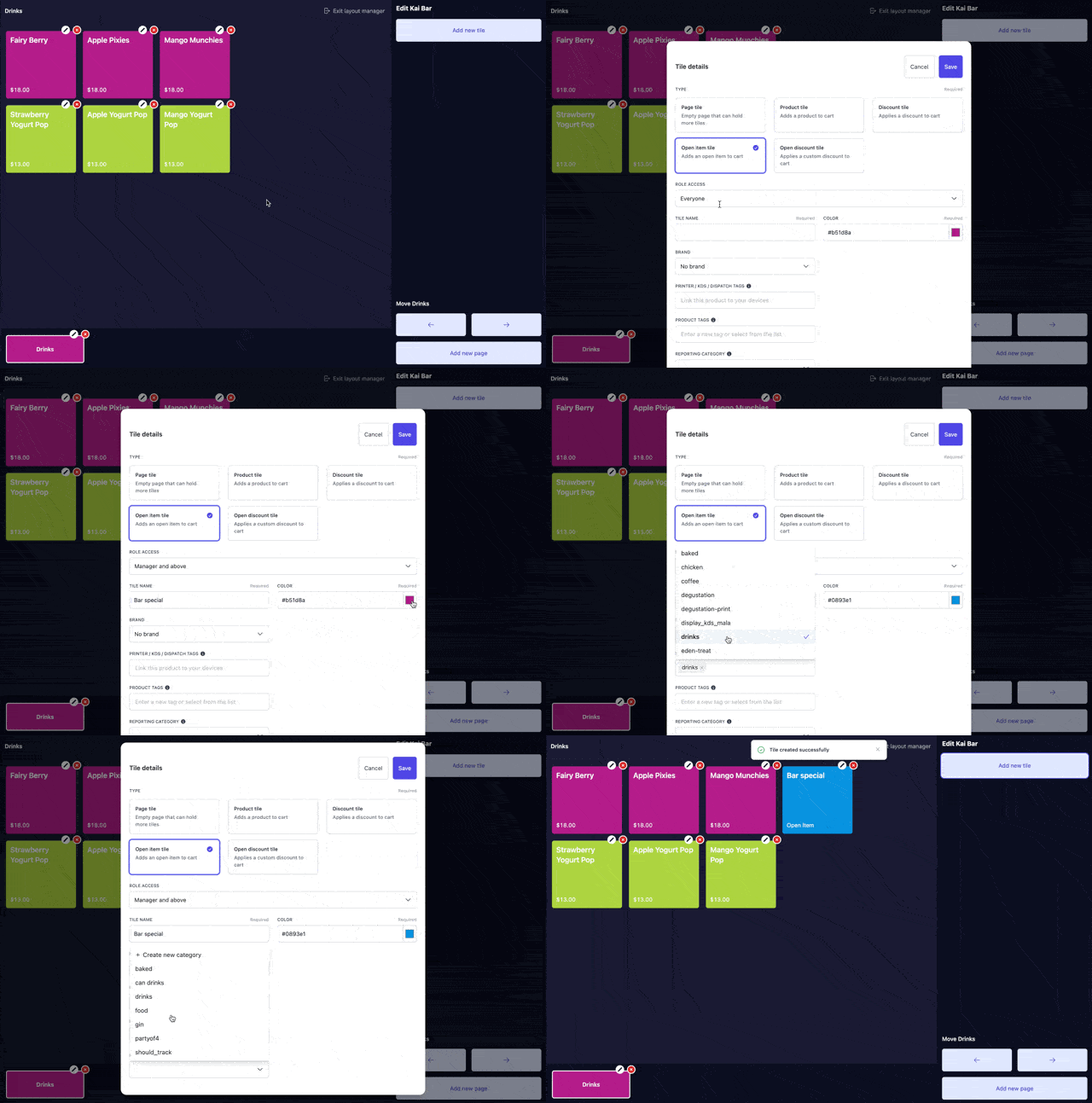
- POS tiles can now be limited to access by certain roles only. This allows you to add items and discounts to the POS that with customised access to the different roles in your restaurant.
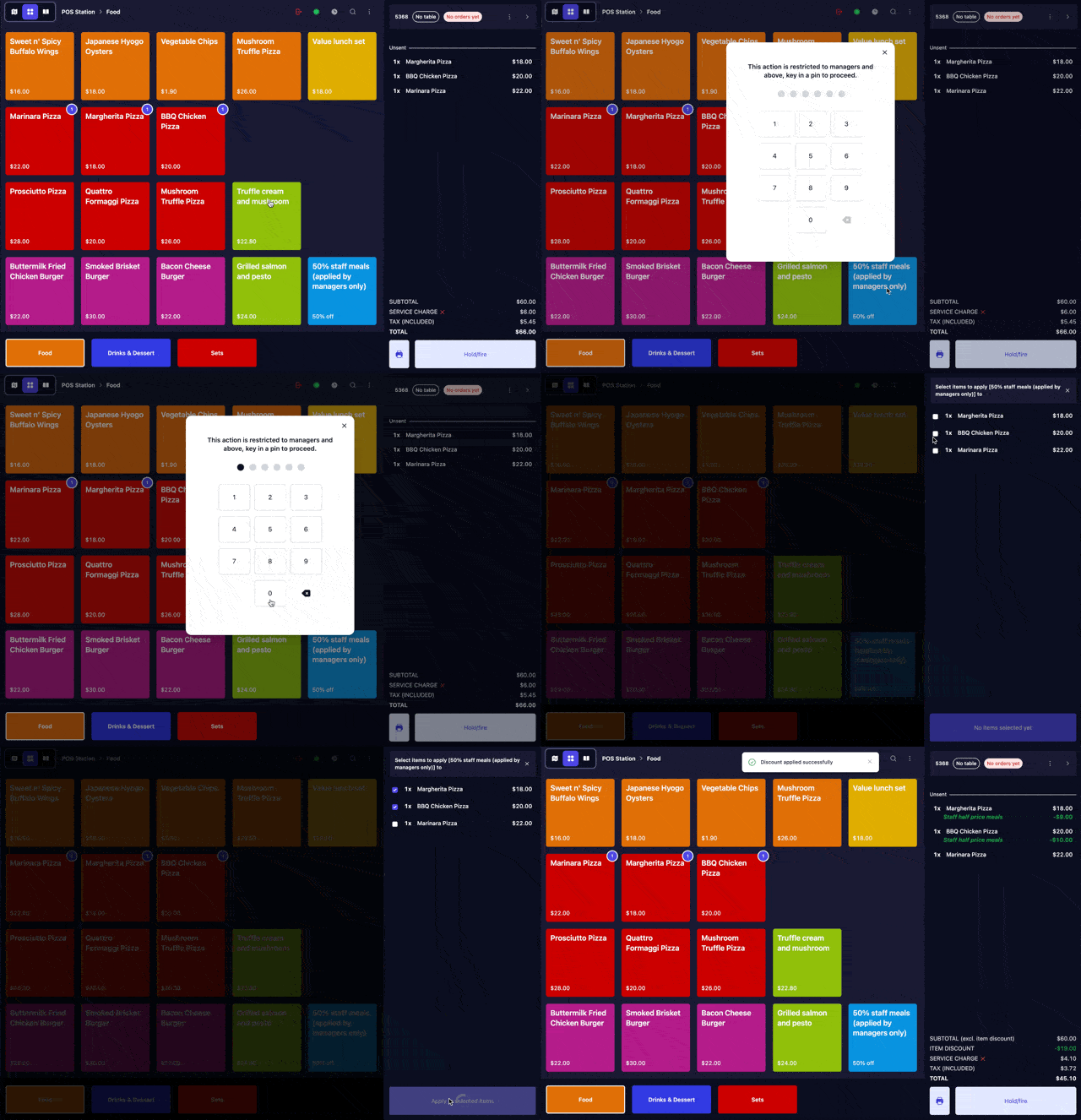
- Open items can now be created as a dedicated POS tile. This enables you to assign fixed reporting categories and names for better tracking and limit access with pin codes for access control.
- Fixed a bug on Android devices that would sometime automatically dismiss modals/popups after tapping.
- Your Scan to Order carts are now locked for all guests whenever someone initiates the checkout process. This prevents any changes to the order while payments are being made which can lead to inconsistent states and confusion.
- Atlas Loyalty now adapts a little more naturally for dynamic pay-at-the-end QRs. Rewards can be earned and burned by the guest that logs in and owns the cart, while the actual payment can be initiated and paid for by anyone at the table.
- Fixed a bug that allowed merchants to swap between points and cashback that affected the experience for diners. This is now something that is not swappable after a loyalty program is created.
- Order webhooks and GET API endpoints now include table names, fulfilment type, and serving time data
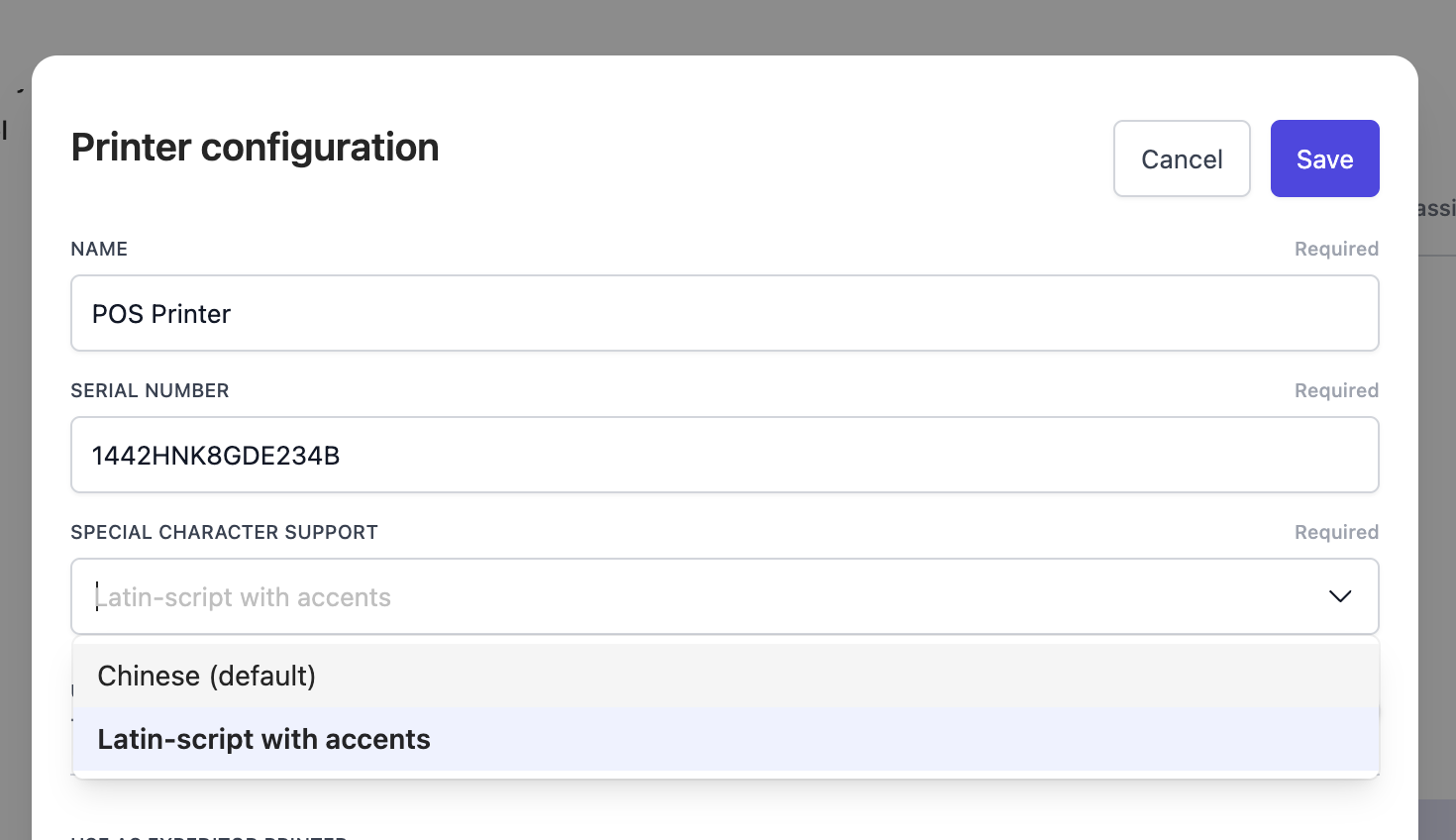
- Printouts now can be configured to support special latin-script characters with accents. from your printer configuration in “Outlet settings”. Note that this toggle will need to be configured to swap between supporting chinese characters or latin-script with accents, and would not be possible to support both types of special characters at the same time in one printout.
- Fixed a bug on the daily outlet report where count of open carts shown was incorrect.
Kiosk pay-at-counter mode, receipt upgrades for more efficient operations, intuitive sold out POS flows
- Tweaked the sold-out UI and flow to make it clearer on your POS. This makes it easier for staff to take orders with limited items, especially during rush hour.
- Enlarged buzzer numbers on your kitchen receipts to make it easier for staff when dispatching orders.
- Enlarged table names on your customer receipts to make it easier for staff when billing customers, especially in darker or lower-visibility environments.
- Fixed an issue where cash change was not printing on cash-paid receipts.
- Kiosk checkouts now support pay-at-counter to transfer an order to your POS. This allows the order to be handed over to a staff member to handle processes that require human intervention (e.g., voucher validation, staff meals).
- Streamlined the UX for restaurants that do not support QR self-checkout to call for a bill in fewer clicks.
- Fixed an issue where certain dine-in orders were captured as takeaway orders.
- Order creation endpoints now support attaching payments as well as refunds.
- Performance upgrades using batch loading for fulfilment and incoming order queries.
- Optimised the speed of loading cart items and how it influences committed stocks.
- Improved speeds with paginated loading for menus, cross-selling, and channel links.
- General UIUX fixes and improvements across the entire merchant portal.
- Fixed an issue where voided items were included in the generated PDF invoice.
- Fixed an issue where discounts were incorrectly applied to voided items.
- Fixed visual alignment of modifiers on the POS side cart.
5G mobile broadband backups, grid view on kiosk modifiers, double-tap to dismiss on KDS
- 5G mobile broadband backups can now be installed at your outlets to ensure operational redundancy in the event your main outlet broadband/Wi-Fi goes down. This includes installation of an Atlas router on your premises and the subscription of a separate 5G/4G plan. Let us know if this redundancy is something you are interested in exploring, and we’ll reach out with next steps.
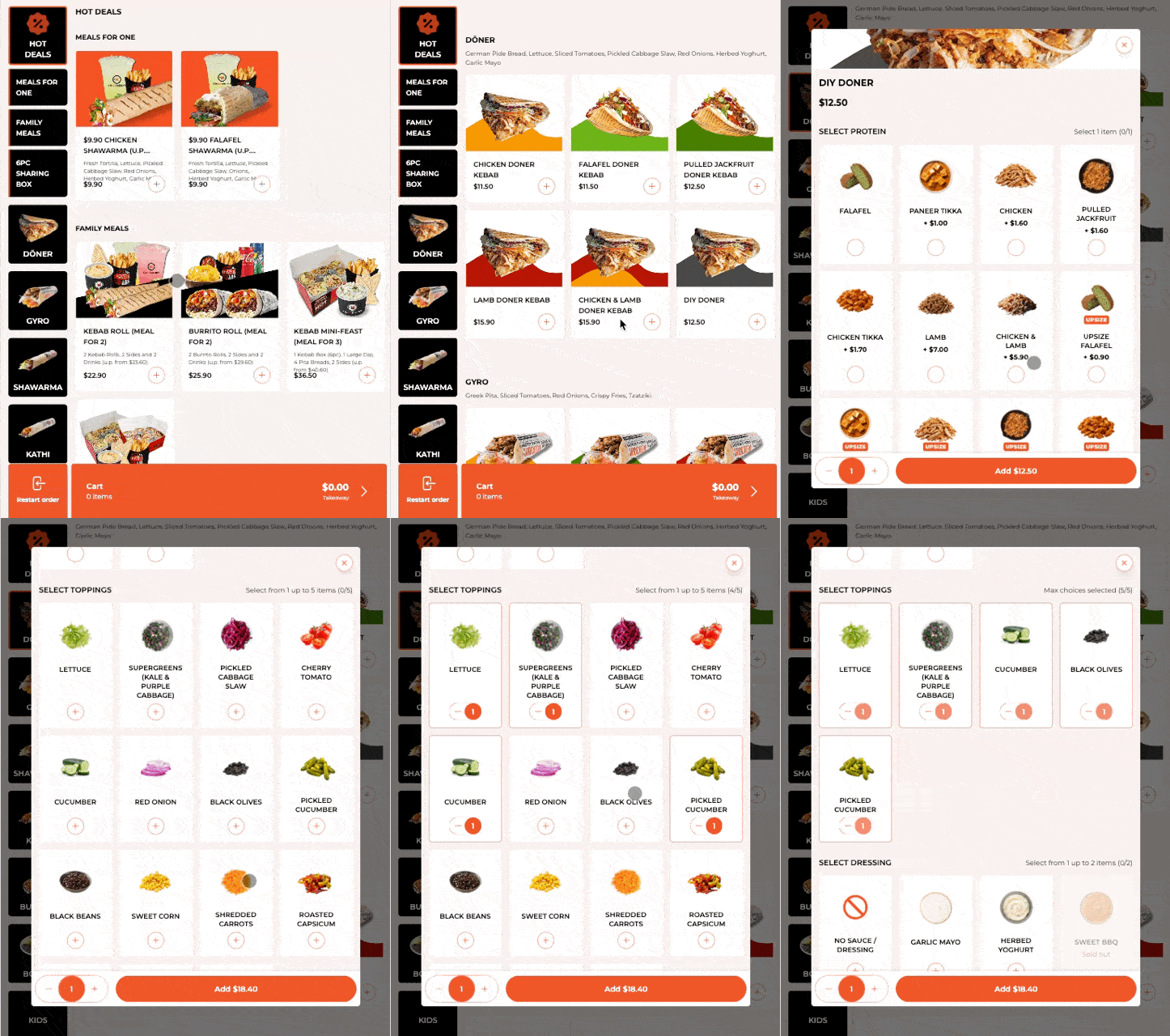
- Support for modifier grid-view, especially useful and better UX for menus with highly customisable components - think build your own bowl, craft your own salad scenarios where modifier options can be long.
- Upgraded the scroll interaction library for your kiosks for smoother scrolling interaction, especially on lower-performance devices.
- Grabfood integration is now self-service, just head to “Channel settings” > “Aggregator” to add a new connection. Fill up your details and authenticate with your GrabMerchant account to activate the integration. Self-service flows coming to Foodpanda and Deliveroo soon as well.
- Fixed a minor bug where product modifiers were not synced and displaying when outside serving period.
- The Atlas order update webhook can now be configured to only fire for only specific brands in your account. Especially useful for multi-brand merchants with varying operations.
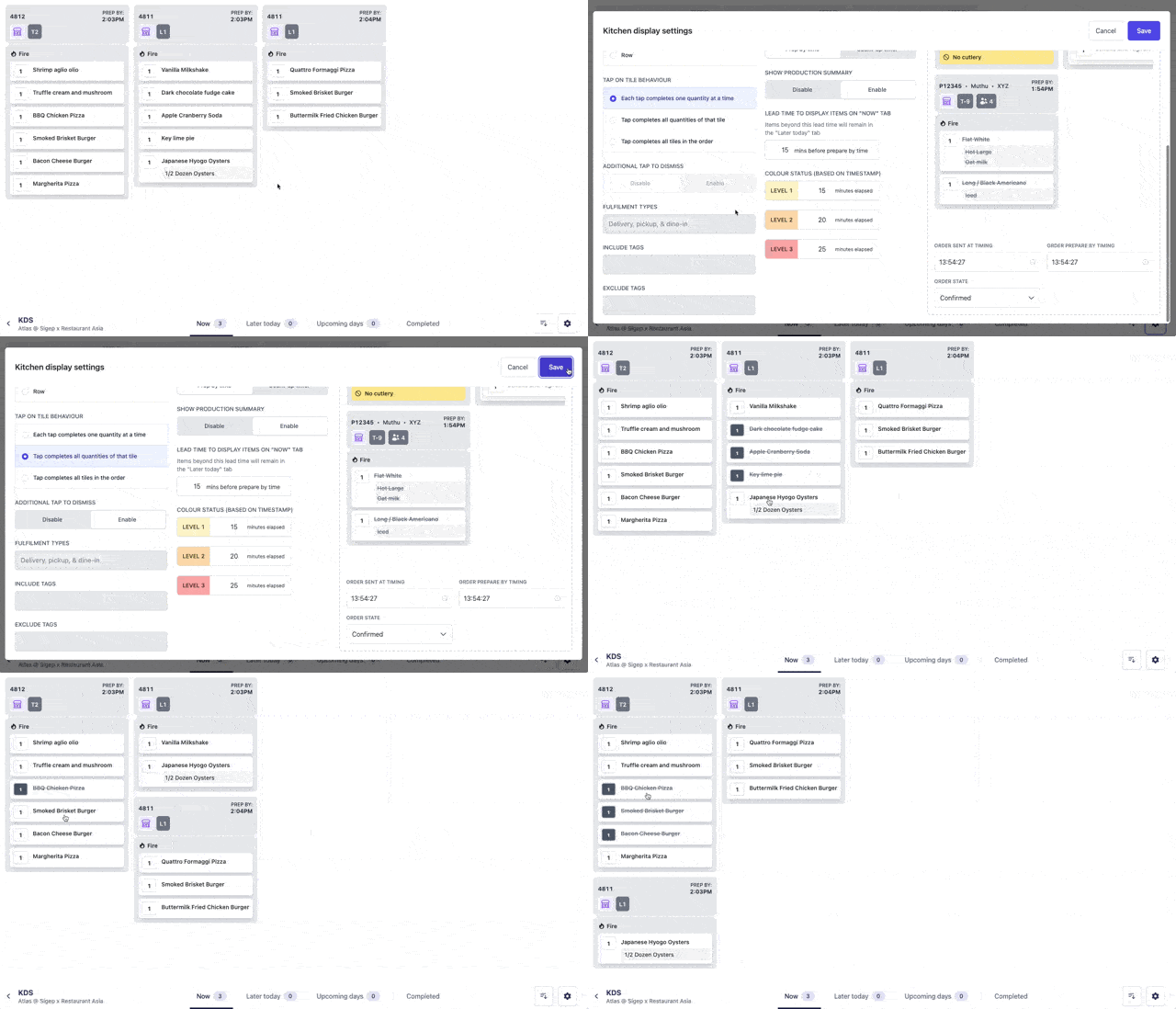
- Your KDS now supports a new interaction mode, where items are cleared with a double tap instead. The first tap crosses the item out on your screen and the second would dismiss the item and push it to the “Completed” tab. Do note that this interaction is disabled if you pick “Each tab completes one quantity at a time”.
- Product and modifier groups can now be bulk updated via CSV. No more clicking through 50 tabs when doing a menu refresh. Just head to your menu to download a CSV with the containing items, update it, and re-upload them on the product/modifier groups page to perform a bulk update.
- Introduced a slew of infrastructure and database upgrades for better performance and reliability at scale.
Seat tracking on kitchen displays, filter printing and kitchen displays by different areas in your restaurant, dedicated handheld barcode scanners
- Products with no required modifiers can now be configured to immediately be added to the cart. This makes ops more efficient for when speed and simplicity are more important than upselling and flexibility in product configurations.
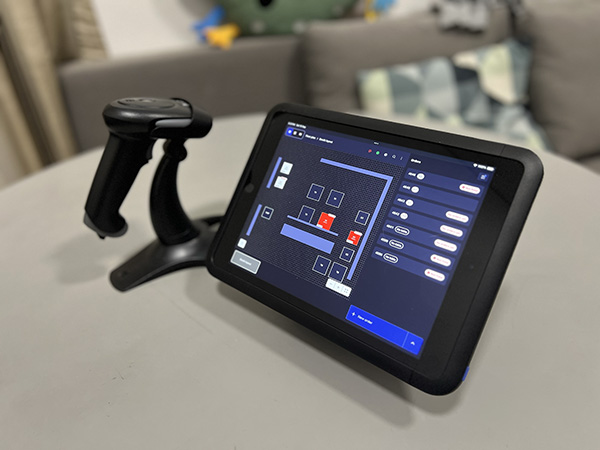
- Atlas POS now supports external Bluetooth/wired barcode scanners for more efficient order processing. To use this on your products, you will just need to set up so that the product SKU on Atlas matches the barcode value.
- Fixed a bug that required a mandatory contact number for Google Pay transactions.
- Fixed a bug that prevented the email OTP option from being displayed.
- Your kitchen display now presents seat information for each dish, based on the data entered by the server in the POS system.

- Kitchen displays and receipt printer configurations can now be filtered by areas. This allows for more complex configurations, such as orders that split across multiple production lines on different floors/areas.
- Optimised how elements and fonts scale up and down as you configure your KDS size settings.
- Improved performance and speed when loading stocks across Atlas touch points. This should be felt the most by merchants using complicated stock.
- Fixed a bug where printer tags would not save correctly after being sorted.
- Fixed a bug where the product tag filter in the stock page was not working.
31 Aug 2025
Atlas POSAtlas Scan to OrderAtlas OnlineAtlas LoyaltyAtlas AggregatorAtlas Merchant Portal
Image editing and generation for restaurants, powered by Atlas Intelligence
- Swipe gestures on carts/orders are now more intuitive:
- Full swipe now instantly deletes/removes the cart or order.
- Half swipe reveals delete options with a confirmation prompt, so you don’t accidentally wipe something mid-service.
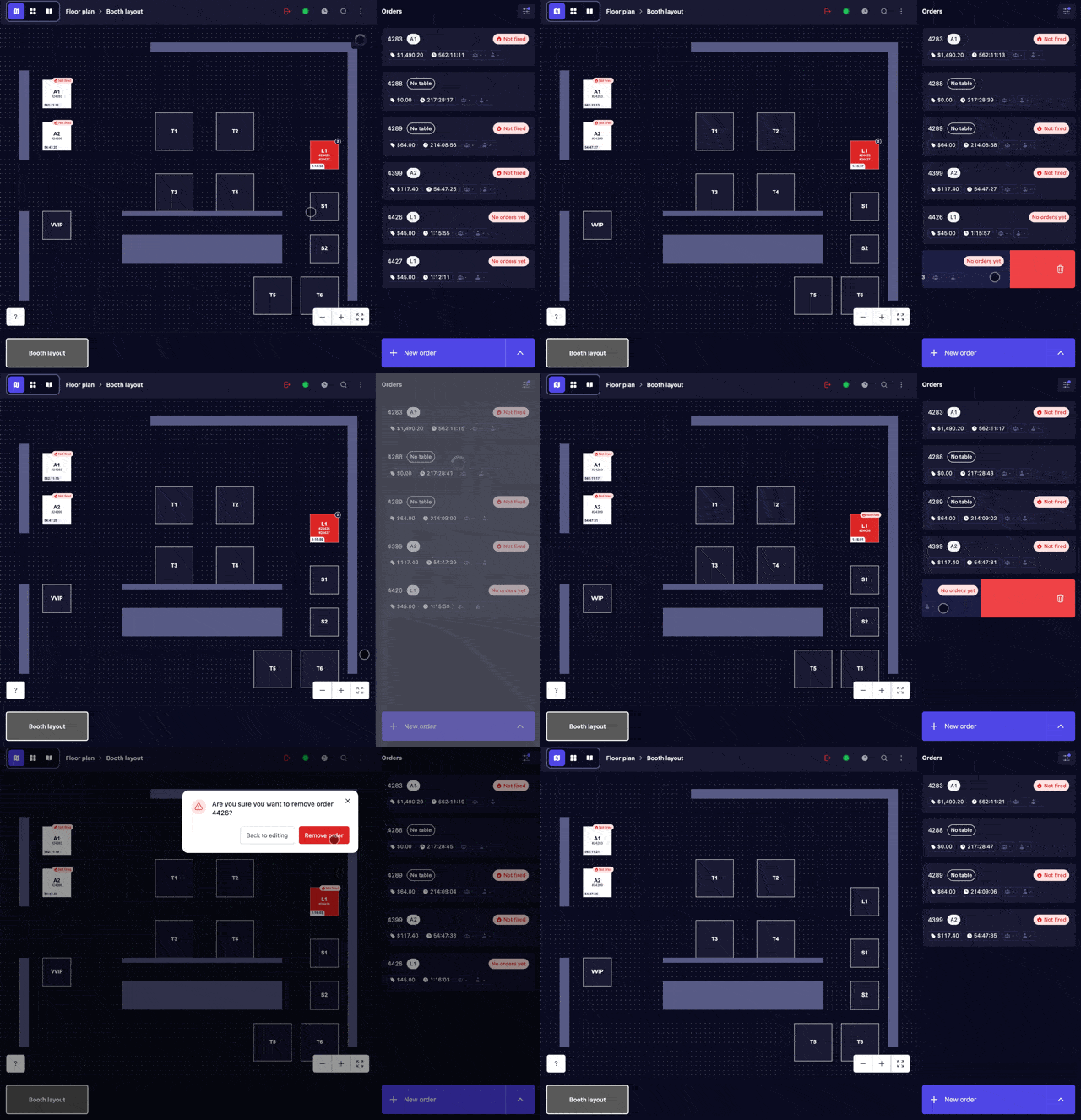
- Fixed an issue where the POS incorrectly registered taps on walls or empty layout blocks as table selections.
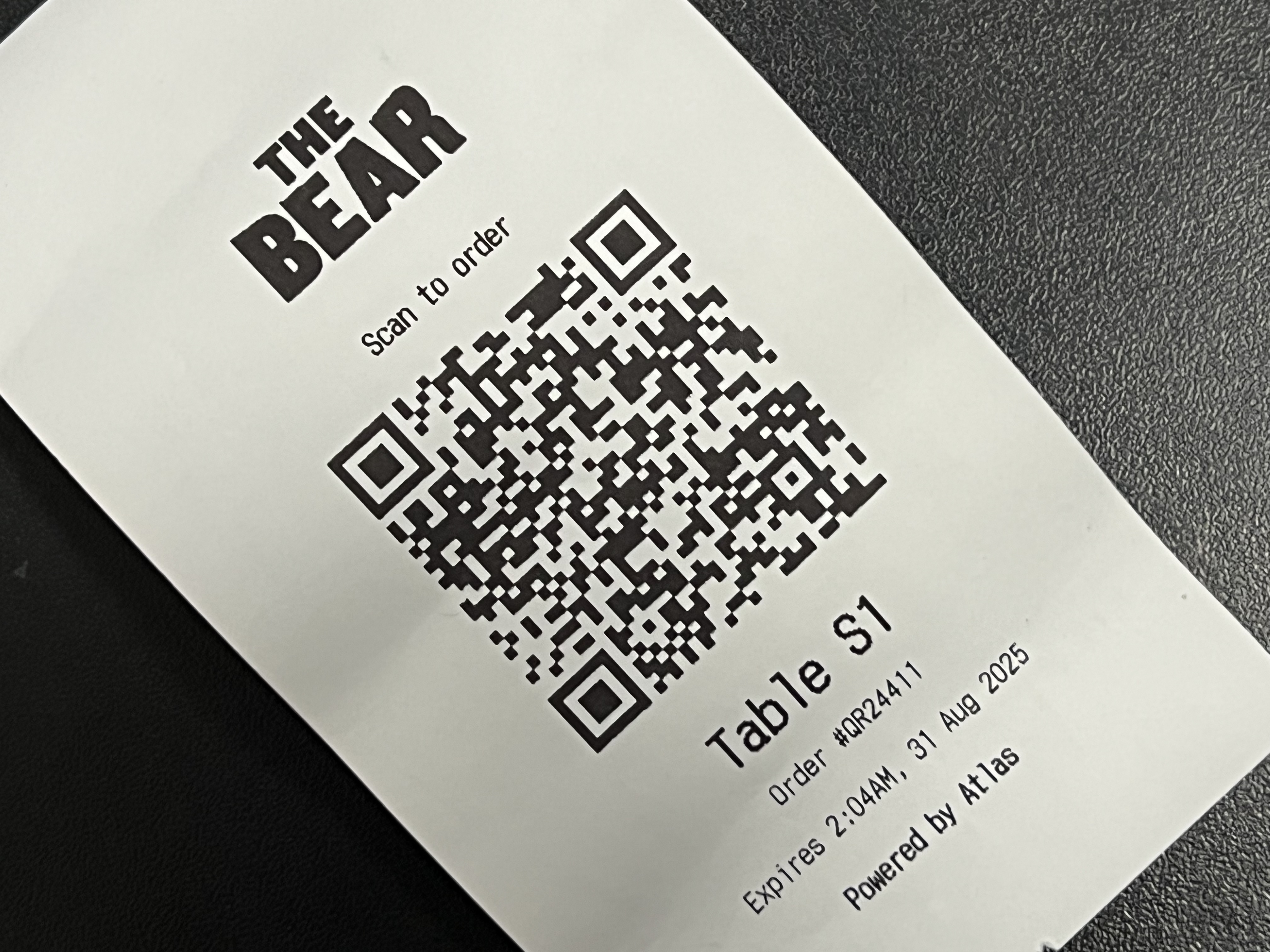
- Cleaned up formatting and improved store branding for your dynamically generated Scan to Order (pay-at-end) dockets.
- Optimised the mobile view for your product detail pages—content now stretches to use the full height of the screen.
- Fixed a bug where certain elements on the website were hidden behind the browser menu bar on older Android devices.
- Fixed a bug where highlighted products appeared highlighted across every section they were in (instead of just the one selected).
- Fixed an issue where the brands_transacted attribute wasn’t correctly tagged for some loyalty members.
- Fixed a bug where Foodpanda stores weren’t respecting availability conditions configured in your menu setup.
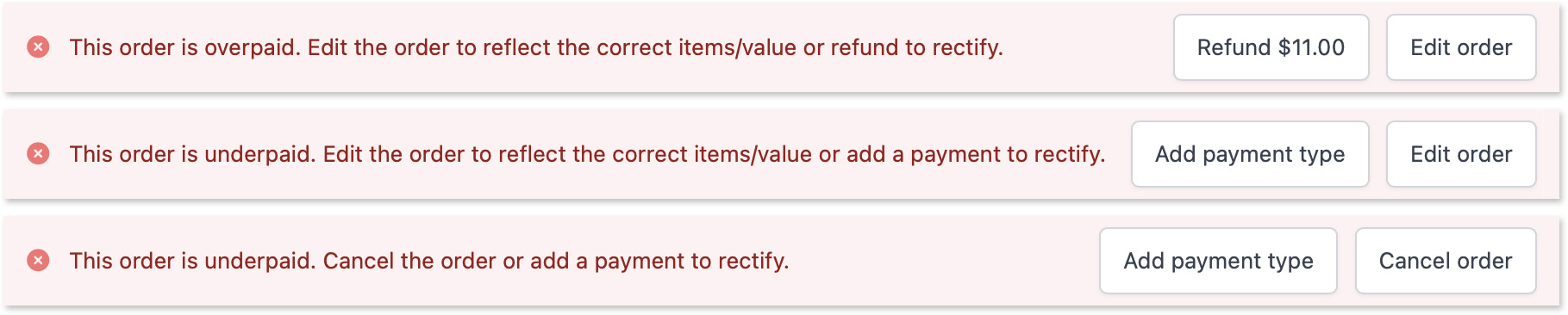
- Adjusted the UX and wording on your overpayment and underpayment messages to better guide staff through the correct next steps.
- Supercharged search on the Atlas Merchant Portal:
- Products: Search by name, tags, description, and SKU
- Sections: Search by name, description, and ID
- Modifier Groups: Search by name and ID