

Who is this article for?
- Atlas users with Admin permissions who want to enable tips at their outlet.
- Anyone who wants to understand how tips are taken and how they appear in Atlas.
What tipping does
When tipping is enabled, a customer can add a tip while paying by credit card at the Atlas Pay terminal. The tip is added to the bill you charge, and it shows separately in your daily report and the order details.Enabling tipping
Tipping is not enabled by default. Contact Atlas support to turn it on for your account.Tipping applies to your entire account. If you have multiple outlets under one account, enabling tips turns it on across all of them. Per-outlet tip control is not available yet.
How tipping works at the terminal
Charge a credit card order the way you normally do. There is nothing extra for staff to do. When the customer pays, the terminal shows the order amount and a Choose tip prompt. The customer picks a percentage (for example, +5% or +10%), taps Custom to key in their own amount, or taps No tip. The tip is added to the total automatically, so the customer pays the bill including their tip.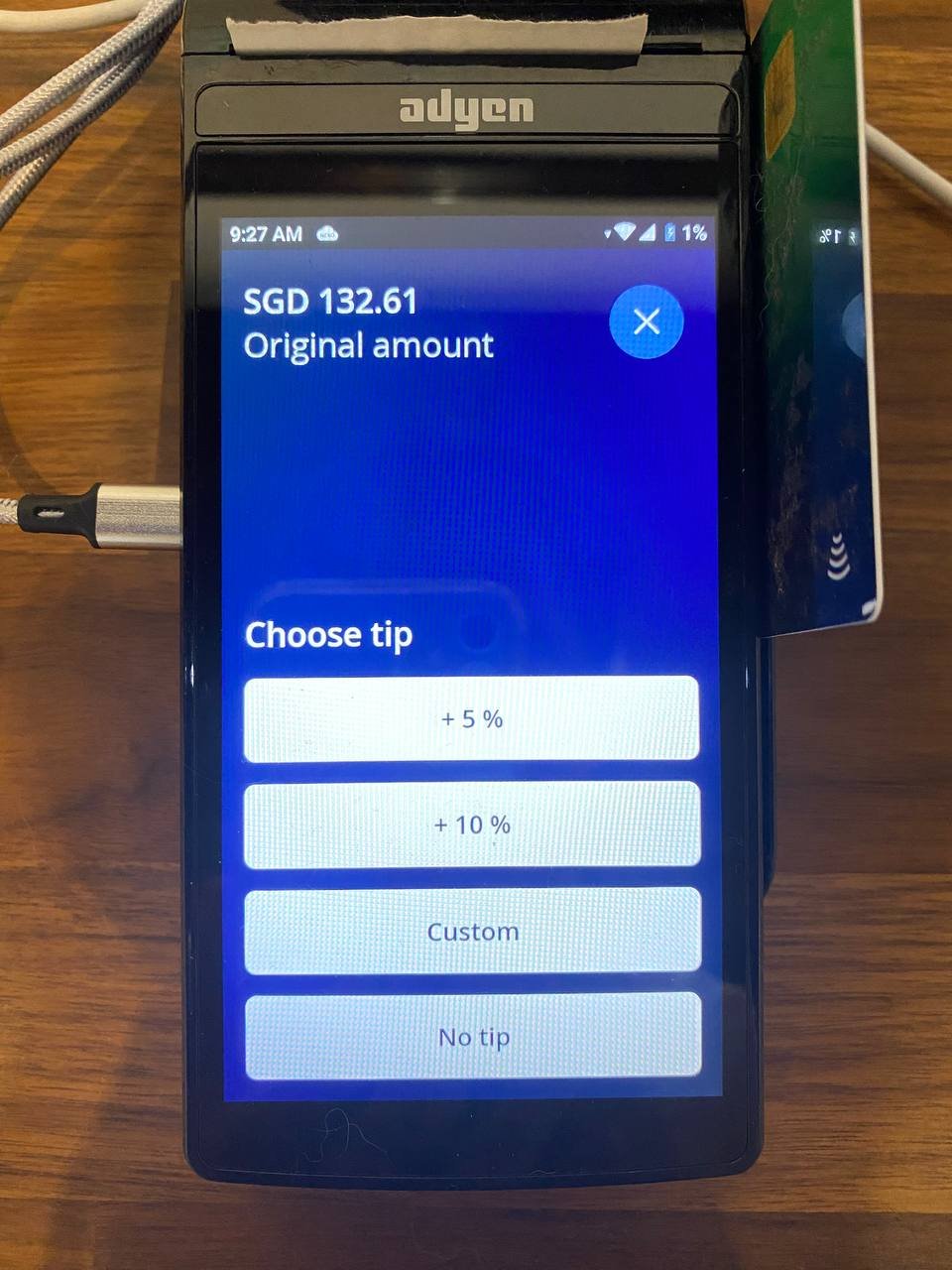
Tip prompt on the card terminal
The tip percentages are set up by Atlas support. Tipping works for credit card payments only. The tip prompt does not appear for PayNow, WeChat Pay, or Alipay.
Where tips show up
Daily outlet report
In the daily outlet report Sales summary, the tip appears as a separate Tips line, added on top of your total sales to reach expected payments.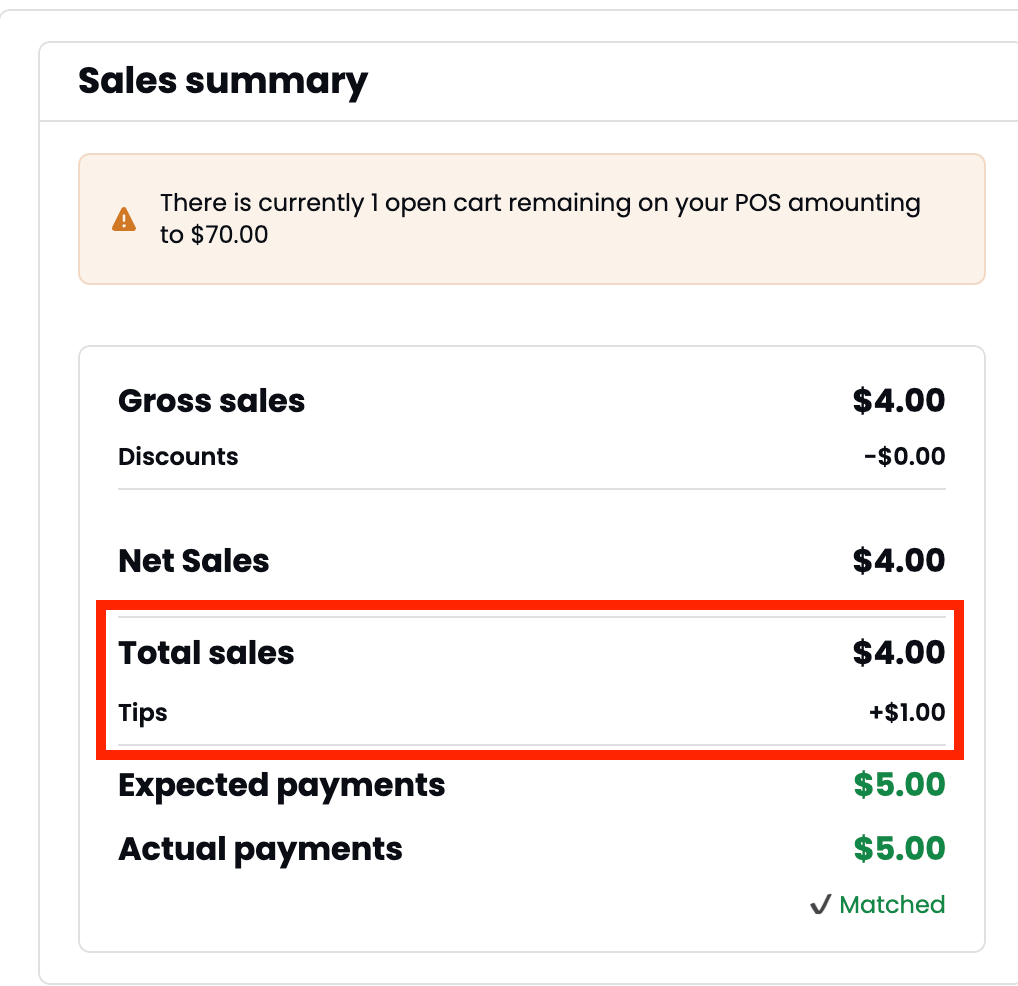
Tips line in the daily outlet report sales summary
Order details
Open the order to see the tip listed under the paid amount, with the total marked “incl. tip”.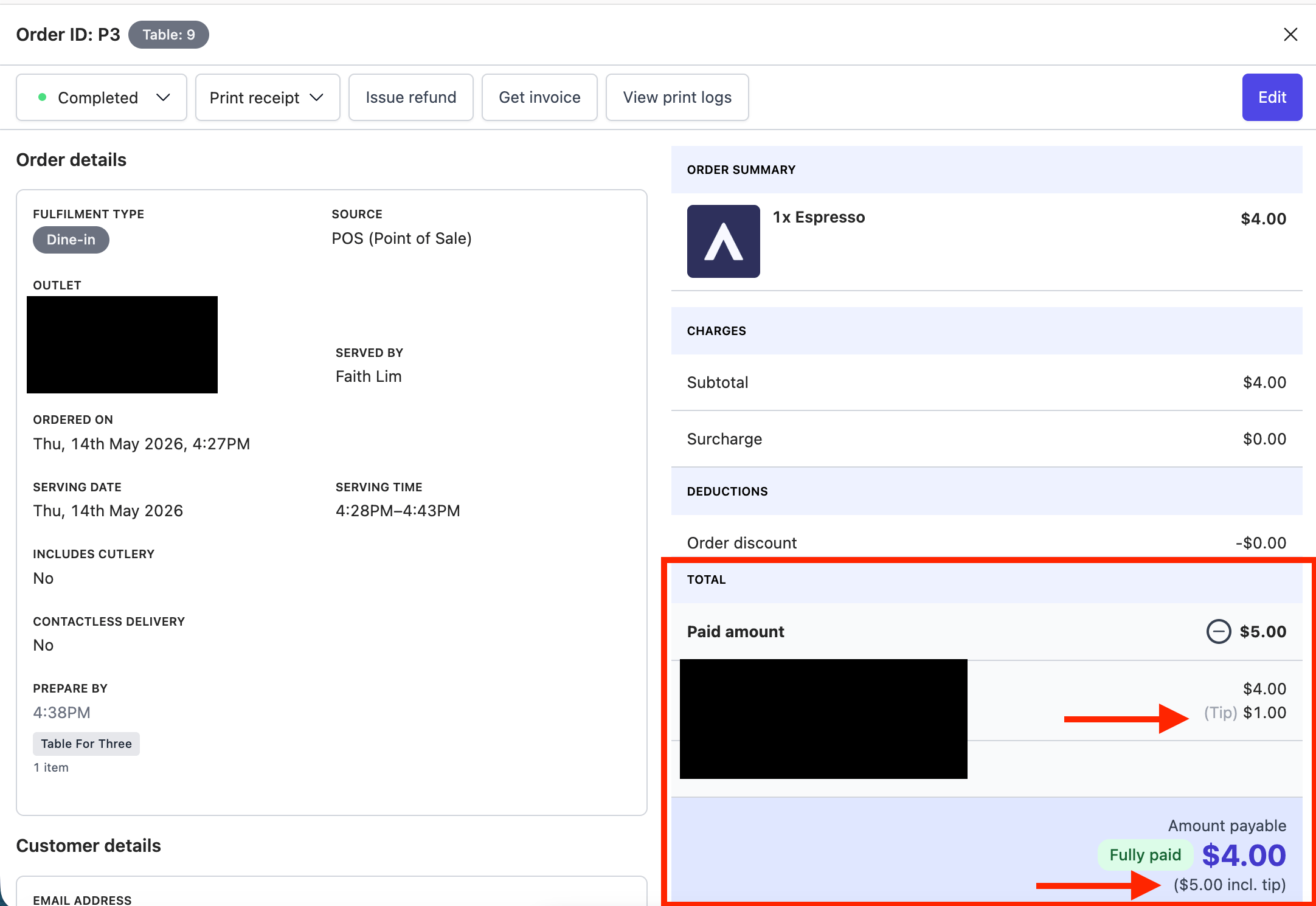
Tip shown in the order details paid amount
Refunds and tips
- Full refund — the tip is refunded along with the order amount.
- Partial refund — the tip is not reduced automatically. Contact Atlas support if you need to adjust the tip.
If it doesn’t work
No tip prompt appears at the terminal
No tip prompt appears at the terminal
Two things to check. First, tipping must be enabled on your account. Contact Atlas support to turn it on. Second, the customer must be paying by credit card — the tip prompt does not appear for PayNow, WeChat Pay, or Alipay.
A customer added a tip but it is not on the order
A customer added a tip but it is not on the order
This can happen if the terminal lost connection mid-payment. Contact Atlas support with the order ID and the terminal charge amount, and the tip can be reconciled manually.
Tips are appearing across all outlets when I only want one
Tips are appearing across all outlets when I only want one
Tipping is currently account-wide. Per-outlet tip control is not available. Contact Atlas support to discuss your setup.
Next steps
- Process refunds — refund or cancel orders that include a tip.
- Daily outlet report — view tips in your daily revenue breakdown.
- Troubleshooting Atlas Pay terminals — fix terminal connection and payment issues.