> ## Documentation Index
> Fetch the complete documentation index at: https://help.atlas.kitchen/llms.txt
> Use this file to discover all available pages before exploring further.
# How tips work on POS
> How tipping works at the Atlas POS terminal, which payment types support it, and where tips appear in your reports and orders.
**Who is this article for?**
* Atlas users with Admin permissions who want to enable tips at their outlet.
* Anyone who wants to understand how tips are taken and how they appear in Atlas.
## What tipping does
When tipping is enabled, a customer can add a tip while paying by credit card at the Atlas Pay terminal. The tip is added to the bill you charge, and it shows separately in your daily report and the order details.
## Enabling tipping
Tipping is **not enabled by default**. Contact Atlas support to turn it on for your account.
Tipping applies to your entire account. If you have multiple outlets under one account, enabling tips turns it on across all of them. Per-outlet tip control is not available yet.
## How tipping works at the terminal
Charge a **credit card** order the way you normally do. There is nothing extra for staff to do. When the customer pays, the terminal shows the order amount and a **Choose tip** prompt. The customer picks a percentage (for example, +5% or +10%), taps **Custom** to key in their own amount, or taps **No tip**. The tip is added to the total automatically, so the customer pays the bill including their tip.
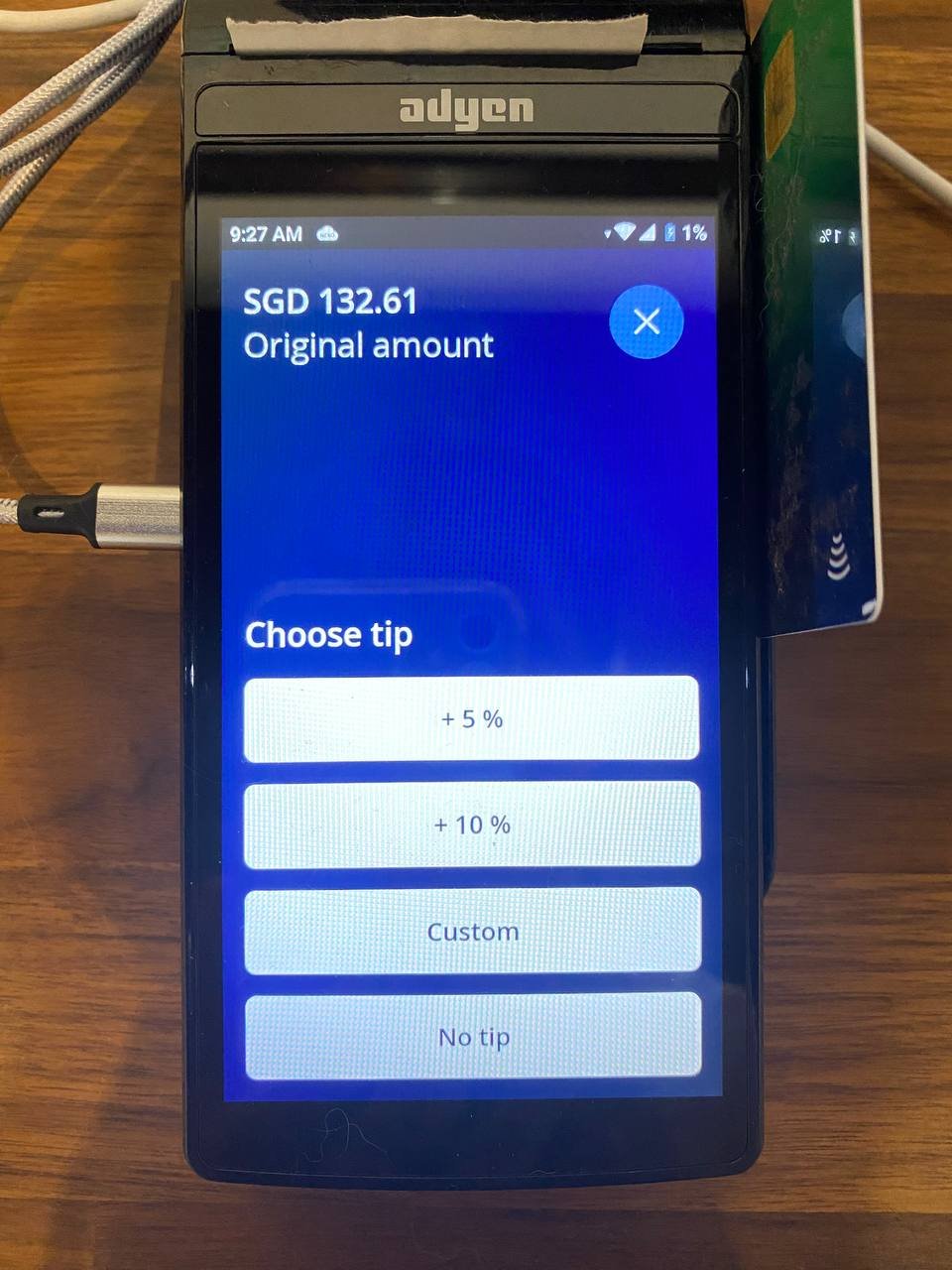 The tip percentages are set up by Atlas support. Tipping works for **credit card** payments only. The tip prompt does not appear for PayNow, WeChat Pay, or Alipay.
The tip can only be added at this prompt, before the card payment goes through. Once the payment is authorised, a tip cannot be added or changed afterward.
## Where tips show up
### Daily outlet report
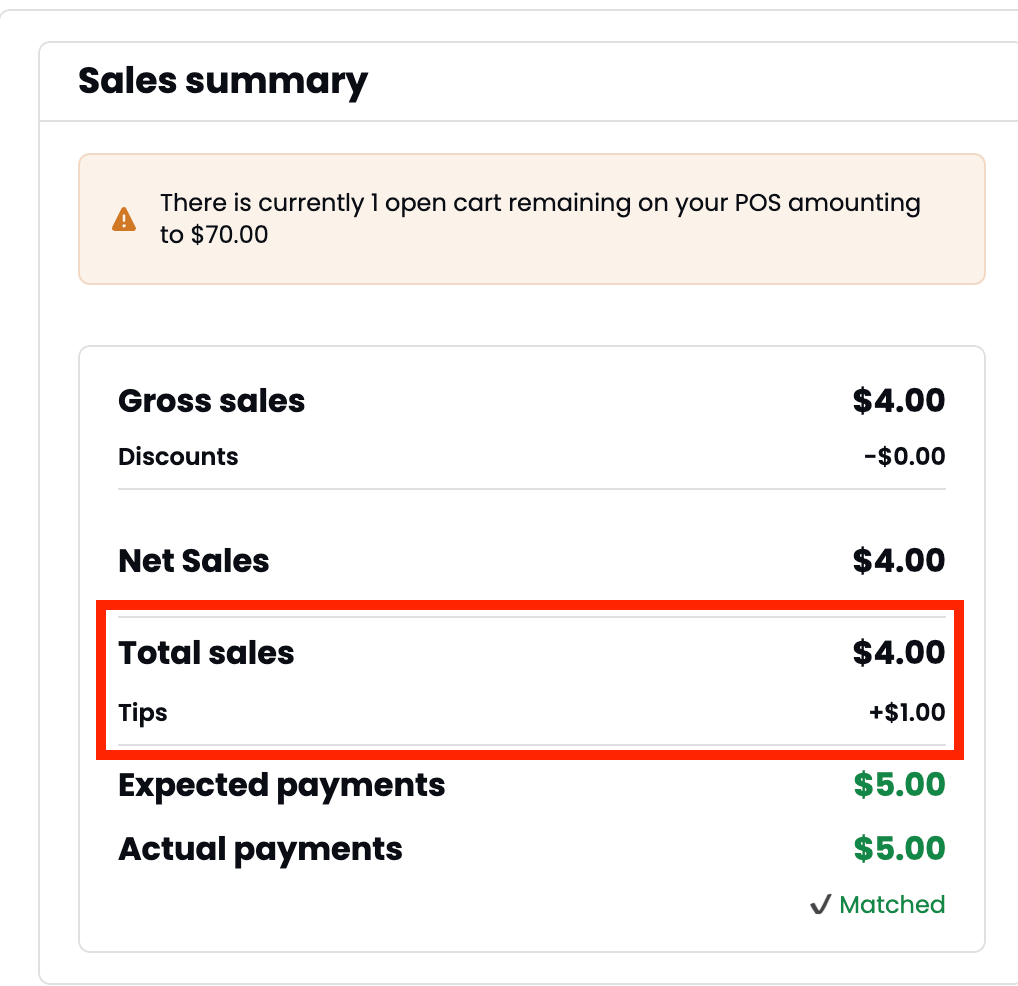
In the daily outlet report **Sales summary**, the tip appears as a separate **Tips** line, added on top of your total sales to reach expected payments.
The tip percentages are set up by Atlas support. Tipping works for **credit card** payments only. The tip prompt does not appear for PayNow, WeChat Pay, or Alipay.
The tip can only be added at this prompt, before the card payment goes through. Once the payment is authorised, a tip cannot be added or changed afterward.
## Where tips show up
### Daily outlet report
In the daily outlet report **Sales summary**, the tip appears as a separate **Tips** line, added on top of your total sales to reach expected payments.
 ### Order details
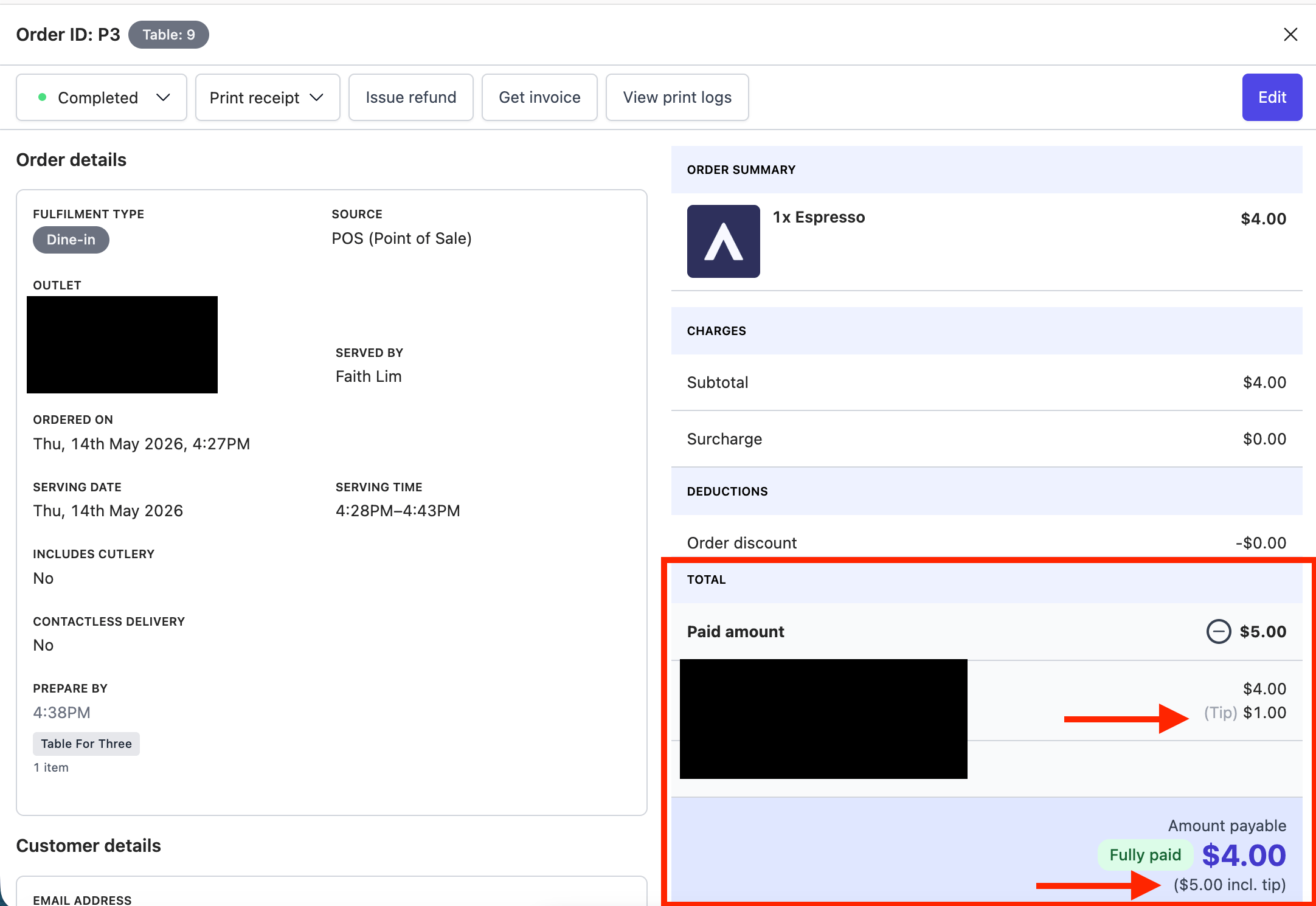
Open the order to see the tip listed under the paid amount, with the total marked "incl. tip".
### Order details
Open the order to see the tip listed under the paid amount, with the total marked "incl. tip".
 ## Refunds and tips
* **Full refund** — the tip is refunded along with the order amount.
* **Partial refund** — the tip is not reduced automatically. Contact Atlas support if you need to adjust the tip.
## If it doesn't work
Two things to check. First, tipping must be enabled on your account. Contact Atlas support to turn it on. Second, the customer must be paying by **credit card** — the tip prompt does not appear for PayNow, WeChat Pay, or Alipay.
This can happen if the terminal lost connection mid-payment. Contact Atlas support with the order ID and the terminal charge amount, and the tip can be reconciled manually.
Tipping is currently account-wide. Per-outlet tip control is not available. Contact Atlas support to discuss your setup.
## Next steps
* [Process refunds](/merchant-portal/refunds) — refund or cancel orders that include a tip.
* [Daily outlet report](/reports/operations/daily-outlet-report) — view tips in your daily revenue breakdown.
* [Troubleshooting Atlas Pay terminals](/hardware/terminal-troubleshooting) — fix terminal connection and payment issues.
## Refunds and tips
* **Full refund** — the tip is refunded along with the order amount.
* **Partial refund** — the tip is not reduced automatically. Contact Atlas support if you need to adjust the tip.
## If it doesn't work
Two things to check. First, tipping must be enabled on your account. Contact Atlas support to turn it on. Second, the customer must be paying by **credit card** — the tip prompt does not appear for PayNow, WeChat Pay, or Alipay.
This can happen if the terminal lost connection mid-payment. Contact Atlas support with the order ID and the terminal charge amount, and the tip can be reconciled manually.
Tipping is currently account-wide. Per-outlet tip control is not available. Contact Atlas support to discuss your setup.
## Next steps
* [Process refunds](/merchant-portal/refunds) — refund or cancel orders that include a tip.
* [Daily outlet report](/reports/operations/daily-outlet-report) — view tips in your daily revenue breakdown.
* [Troubleshooting Atlas Pay terminals](/hardware/terminal-troubleshooting) — fix terminal connection and payment issues.