> ## Documentation Index
> Fetch the complete documentation index at: https://help.atlas.kitchen/llms.txt
> Use this file to discover all available pages before exploring further.
# Daily outlet report
> Quick overview of sales for a single day.
**Available for:** Server Cashier Manager Finance Admin
[Go to report →](https://portal.atlas.kitchen/daily-outlet-report)
## What this report shows
A comprehensive overview of sales for a single day or custom period. Commonly used during shift closing to review sales, payments, and reconcile the day.
 ## Filters
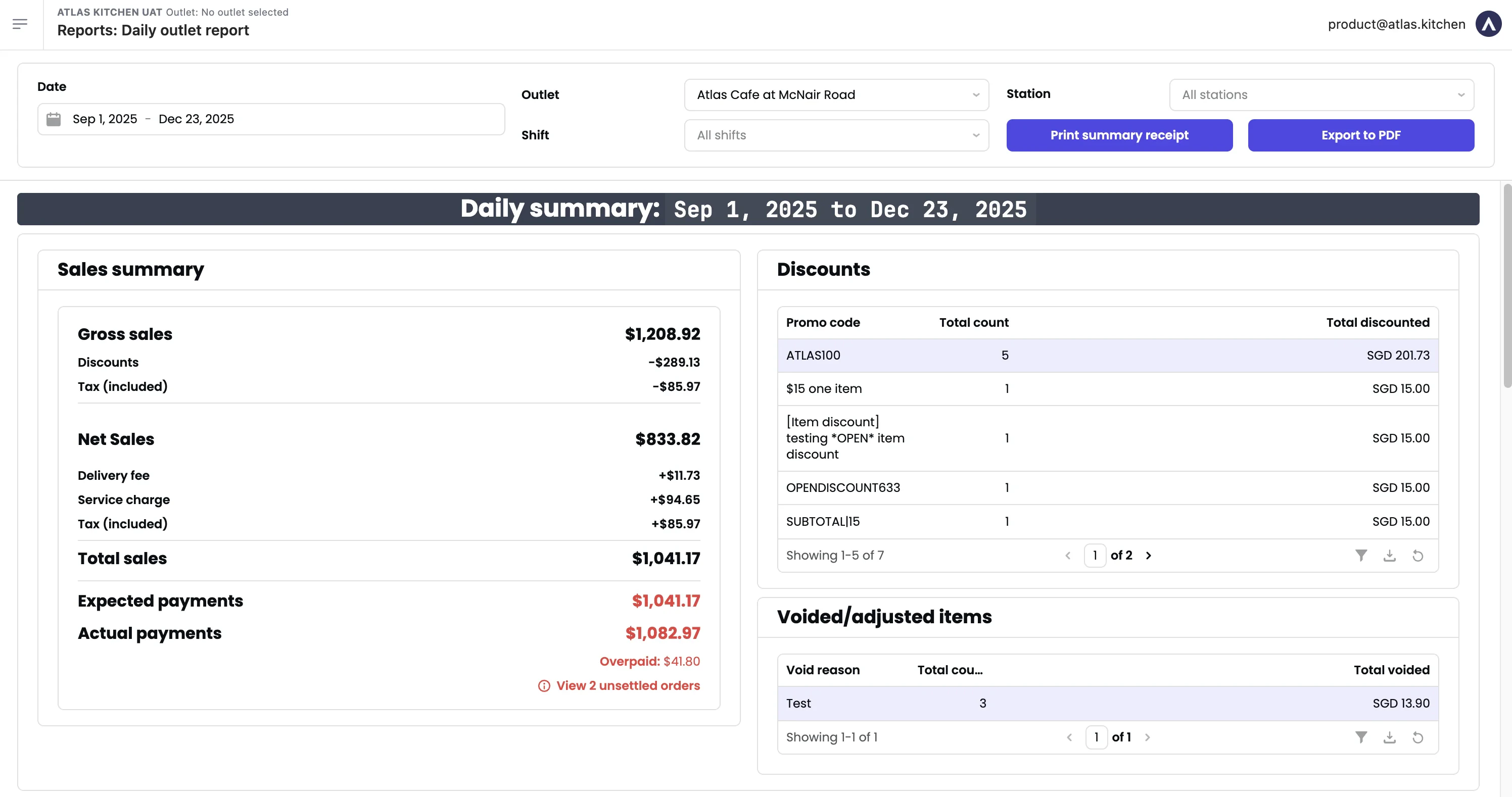
 * **Date** — Serving date (when orders were fulfilled). Defaults to today.
* **Start time / End time** — Filter by time within the day.
* **Outlet** — Switch between outlets.
* **Station** — Filter by specific stations.
An outlet's sales day defaults to 12AM-12AM. Contact support to customise (e.g., 3AM-3AM).
## Sections
### Sales summary
Key financial metrics for the selected period.
* **Gross sales** — Undiscounted sales based on item prices. For tax-inclusive outlets, includes tax.
* **Discounts** — Total discounts (order and item-level).
* **Points redeemed** — Value of loyalty points redeemed.
* **Tax (included)** — Inclusive tax.
* **Net sales** — Gross sales - discounts - points redeemed - tax (included).
* **Delivery fee** — Delivery fees charged to customers.
* **Surcharge** — Surcharges (peak periods, packaging, etc.)
* **Service charge** — Service charge.
* **Total sales** — Net sales + delivery fee + surcharge + service charge.
* **Platform delivery fee** — Delivery fees from 3rd-party platforms (not your revenue).
* **Platform discounts** — Discounts sponsored by platforms (not deducted from your sales).
* **Tips** — Tips collected.
* **Rounding** — Rounding differences.
* **Tax (excluded)** — Exclusive tax.
* **Expected payments** — What you should receive.
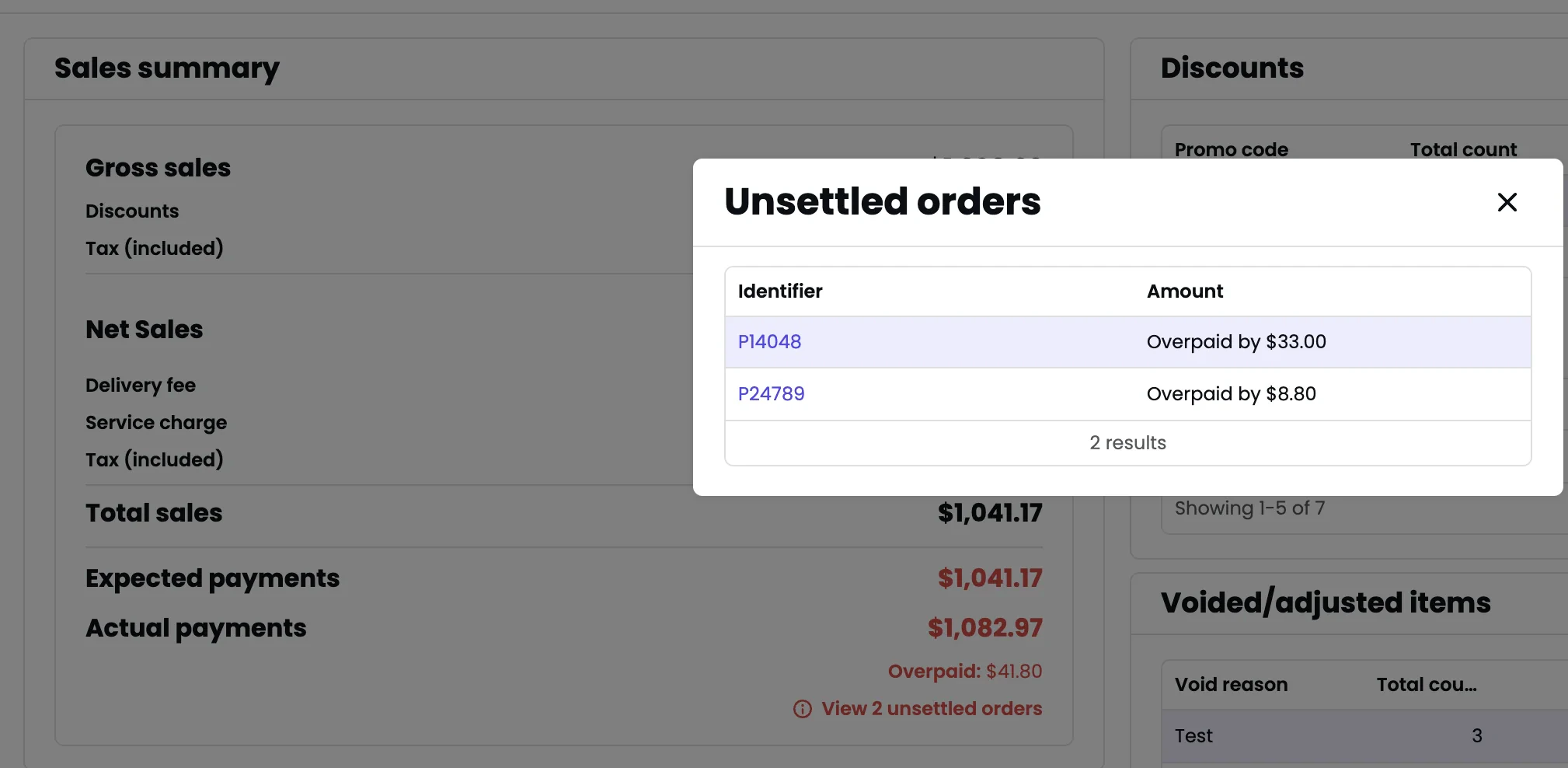
* **Actual payments** — What you actually received. If different, click "View unsettled orders" to investigate.
* **Date** — Serving date (when orders were fulfilled). Defaults to today.
* **Start time / End time** — Filter by time within the day.
* **Outlet** — Switch between outlets.
* **Station** — Filter by specific stations.
An outlet's sales day defaults to 12AM-12AM. Contact support to customise (e.g., 3AM-3AM).
## Sections
### Sales summary
Key financial metrics for the selected period.
* **Gross sales** — Undiscounted sales based on item prices. For tax-inclusive outlets, includes tax.
* **Discounts** — Total discounts (order and item-level).
* **Points redeemed** — Value of loyalty points redeemed.
* **Tax (included)** — Inclusive tax.
* **Net sales** — Gross sales - discounts - points redeemed - tax (included).
* **Delivery fee** — Delivery fees charged to customers.
* **Surcharge** — Surcharges (peak periods, packaging, etc.)
* **Service charge** — Service charge.
* **Total sales** — Net sales + delivery fee + surcharge + service charge.
* **Platform delivery fee** — Delivery fees from 3rd-party platforms (not your revenue).
* **Platform discounts** — Discounts sponsored by platforms (not deducted from your sales).
* **Tips** — Tips collected.
* **Rounding** — Rounding differences.
* **Tax (excluded)** — Exclusive tax.
* **Expected payments** — What you should receive.
* **Actual payments** — What you actually received. If different, click "View unsettled orders" to investigate.
 ### Discounts
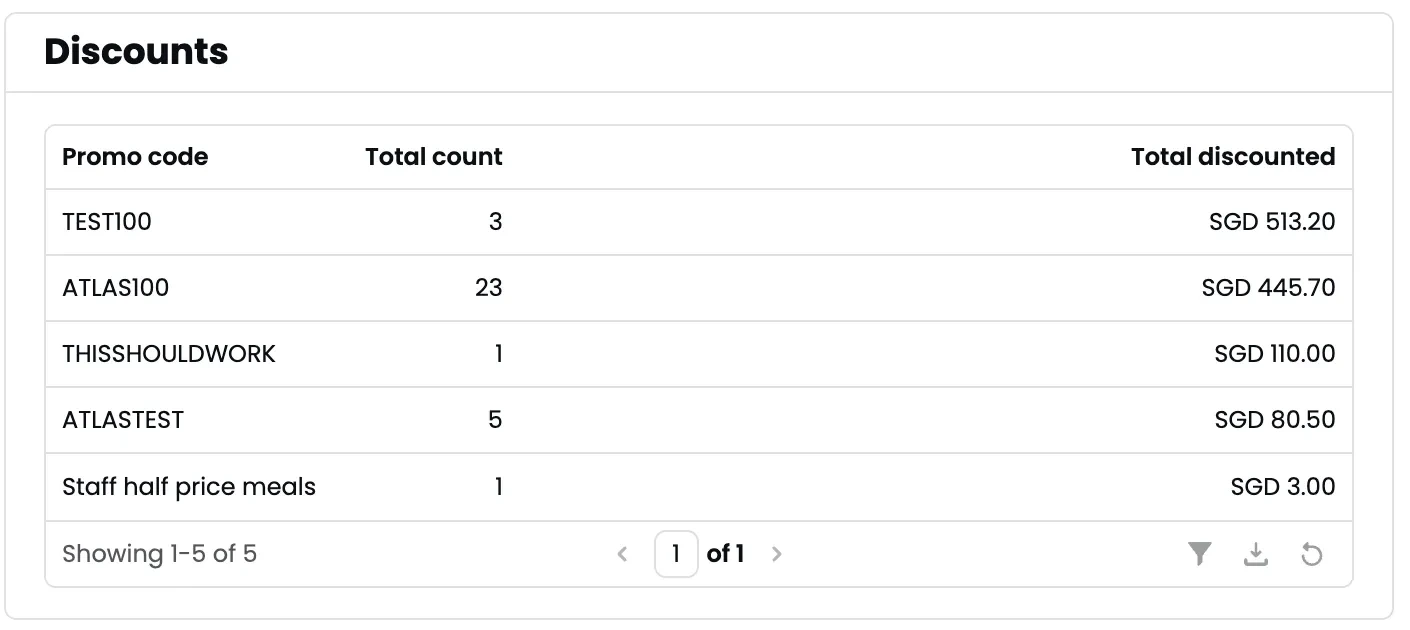
Breakdown of discounts by promo code: name, count, and total discounted amount.
### Discounts
Breakdown of discounts by promo code: name, count, and total discounted amount.
 ### Voided/adjusted items
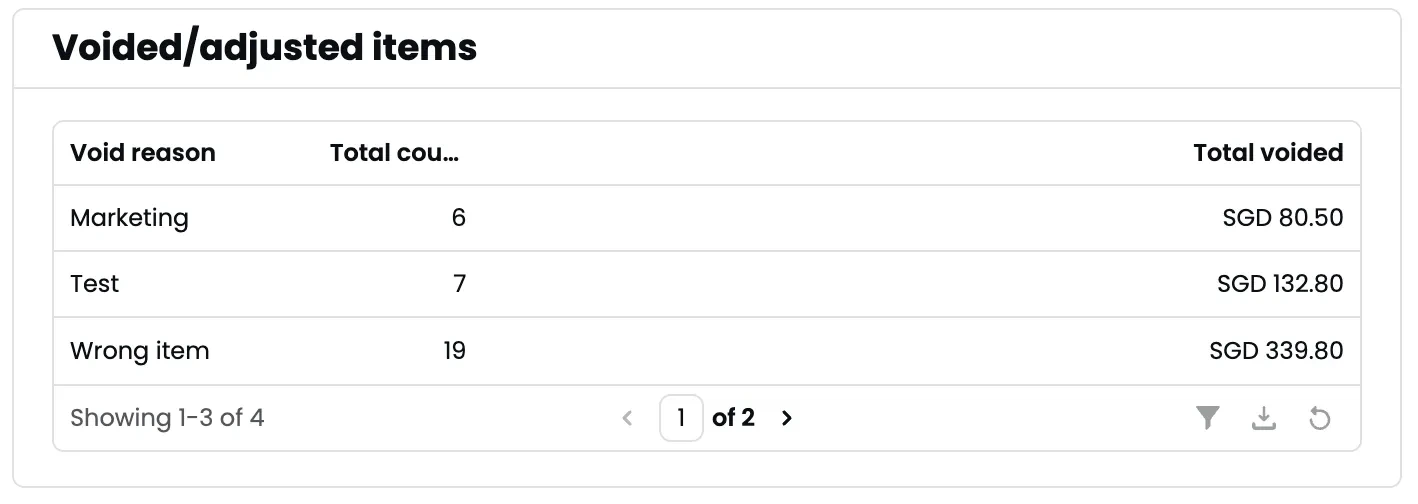
List of voided items grouped by void reason, with count and total value.
### Voided/adjusted items
List of voided items grouped by void reason, with count and total value.
 ### Sales by payment type
Payments and refunds by payment type: net payments, total paid, total refunded, and transaction count.
### Sales by payment type
Payments and refunds by payment type: net payments, total paid, total refunded, and transaction count.
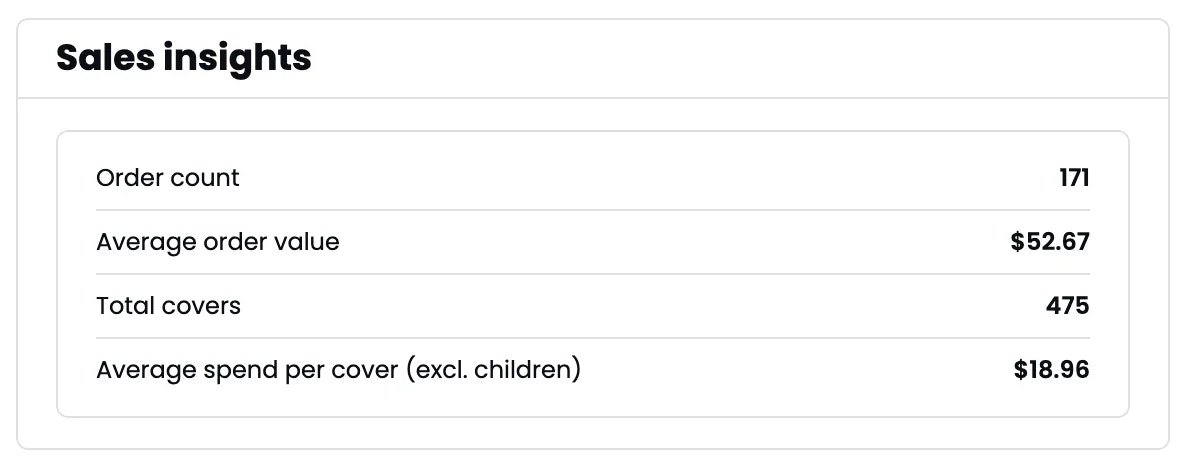
 ### Daily insights
* **Order count** — Total orders.
* **Average order value** — Total sales ÷ order count.
* **Total covers** — Customers served.
* **Average spend per cover** — Total sales ÷ covers.
### Daily insights
* **Order count** — Total orders.
* **Average order value** — Total sales ÷ order count.
* **Total covers** — Customers served.
* **Average spend per cover** — Total sales ÷ covers.
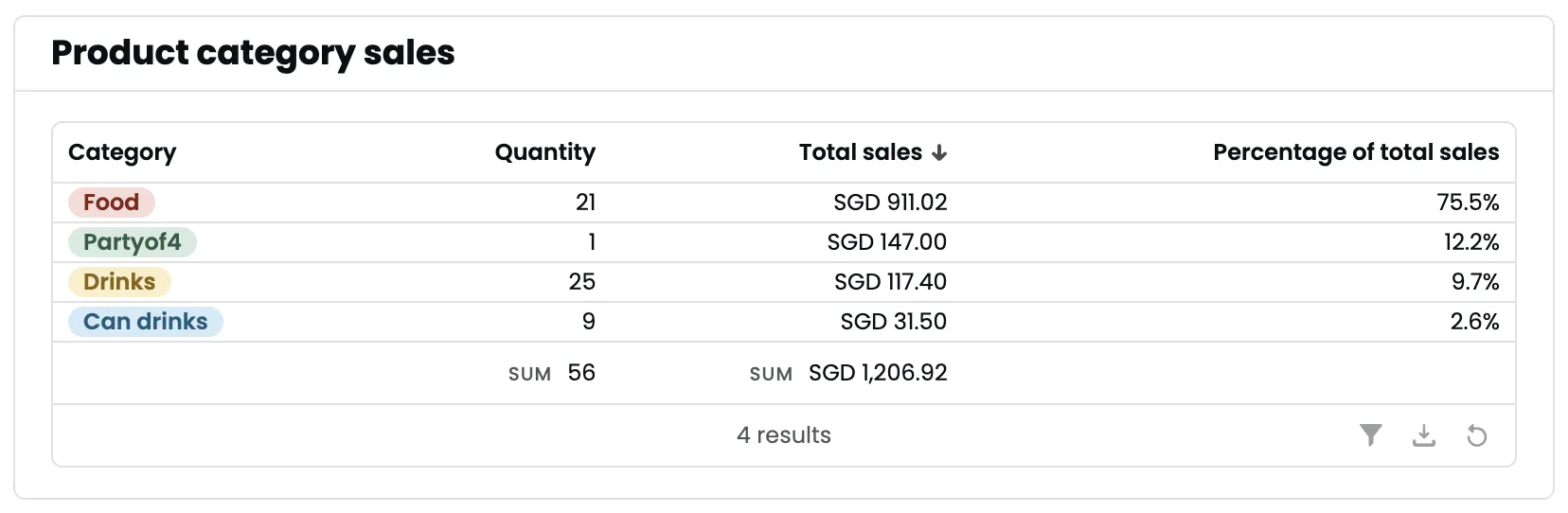
 Quantity and sales by product category.
To set up categories, edit products on the [Products page](https://portal.atlas.kitchen/products) and set **Reporting category**.
Quantity and sales by product category.
To set up categories, edit products on the [Products page](https://portal.atlas.kitchen/products) and set **Reporting category**.
 All products sold: name, total sales (with/without modifiers), quantity, original price, and brand.
Sales numbers are based on main product price and may not account for bundling, discounts, or modifier price overrides.
All products sold: name, total sales (with/without modifiers), quantity, original price, and brand.
Sales numbers are based on main product price and may not account for bundling, discounts, or modifier price overrides.
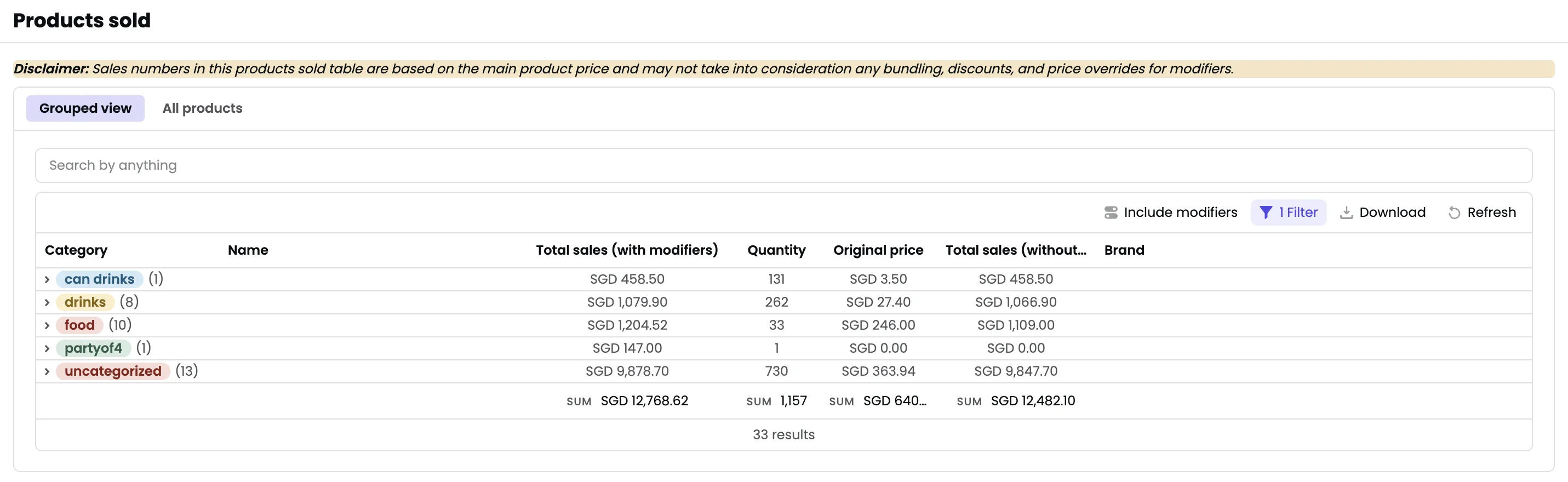 Toggle between **Grouped view** and **All products** using the tabs.
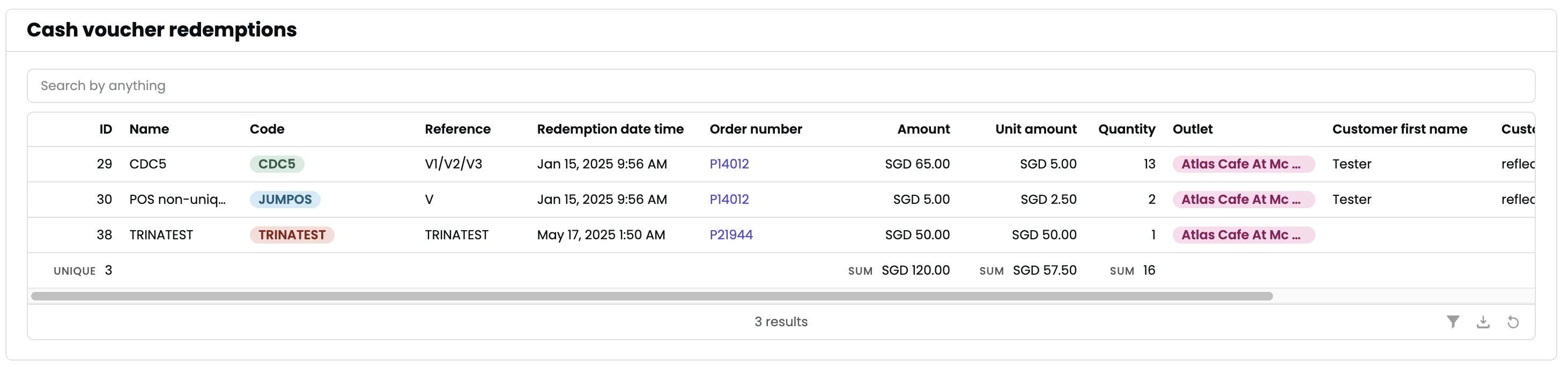
Redemptions on [cash vouchers](https://portal.atlas.kitchen/cash-vouchers): voucher name, count, and total value.
Toggle between **Grouped view** and **All products** using the tabs.
Redemptions on [cash vouchers](https://portal.atlas.kitchen/cash-vouchers): voucher name, count, and total value.
 ## Exporting
* **Print summary receipt** — Print high-level metrics to a printer.
* **Export to PDF** — Export the entire report.
## Exporting
* **Print summary receipt** — Print high-level metrics to a printer.
* **Export to PDF** — Export the entire report.