> ## Documentation Index
> Fetch the complete documentation index at: https://help.atlas.kitchen/llms.txt
> Use this file to discover all available pages before exploring further.
# Update diners' phone number
> Guide for diners to update phone numbers on Atlas Online. Log in, recover access via email, update profile details, and verify changes.
**Who is this article for?**
* Customers that have an Atlas ID account on your restaurant's Atlas Online website.
## Updating a phone number on the restaurant's website
Customers can follow these steps to update their phone number:
1. **Log in to the restaurant's website:**
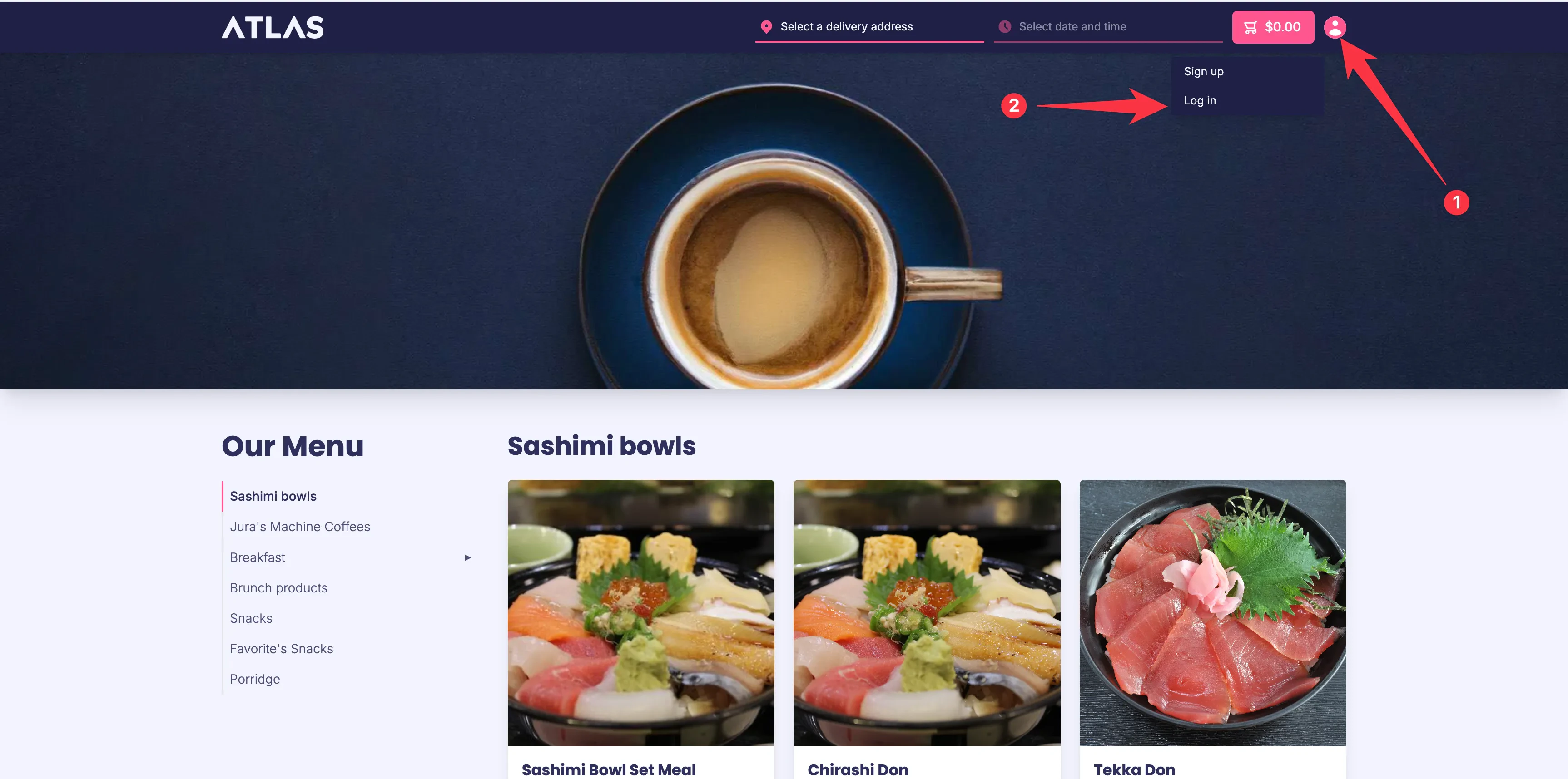 * Click the **user icon** in the top-right corner.
* Click **Log in**.
2. **Enter login credentials:**
* On the **Log in** page, enter the registered email address.
* Click **Log in**.
3. **Recover access if the phone number is unavailable:**
* Click the **user icon** in the top-right corner.
* Click **Log in**.
2. **Enter login credentials:**
* On the **Log in** page, enter the registered email address.
* Click **Log in**.
3. **Recover access if the phone number is unavailable:**
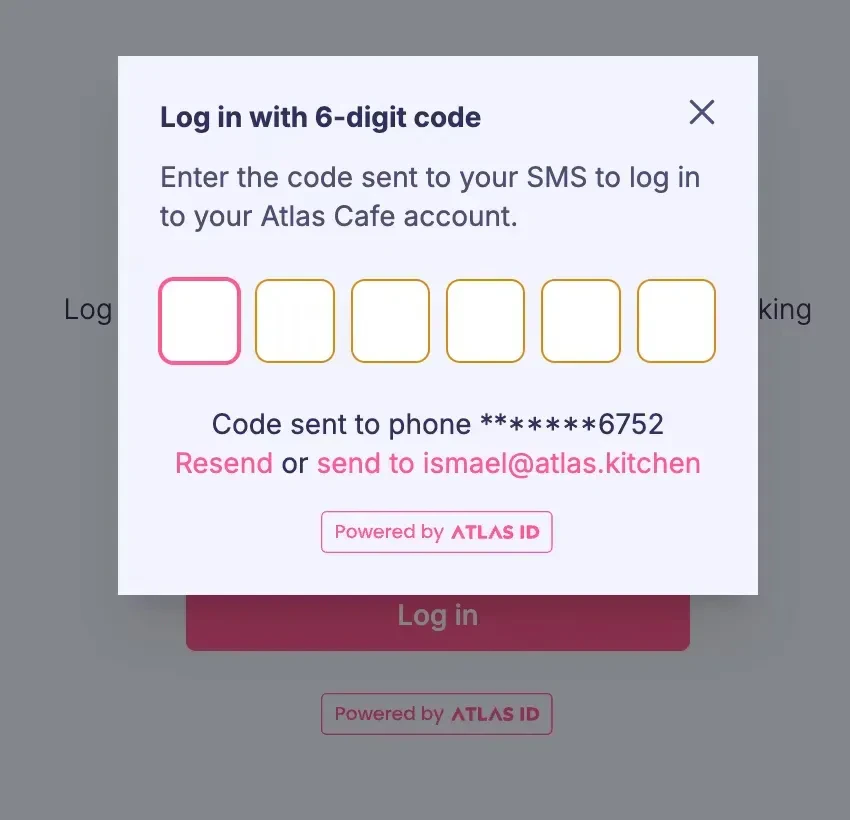 * If access to the registered phone number is lost, select **Send code to email instead**.
* Enter the access code received via email.
4. **Navigate to the profile page:**
* If access to the registered phone number is lost, select **Send code to email instead**.
* Enter the access code received via email.
4. **Navigate to the profile page:**
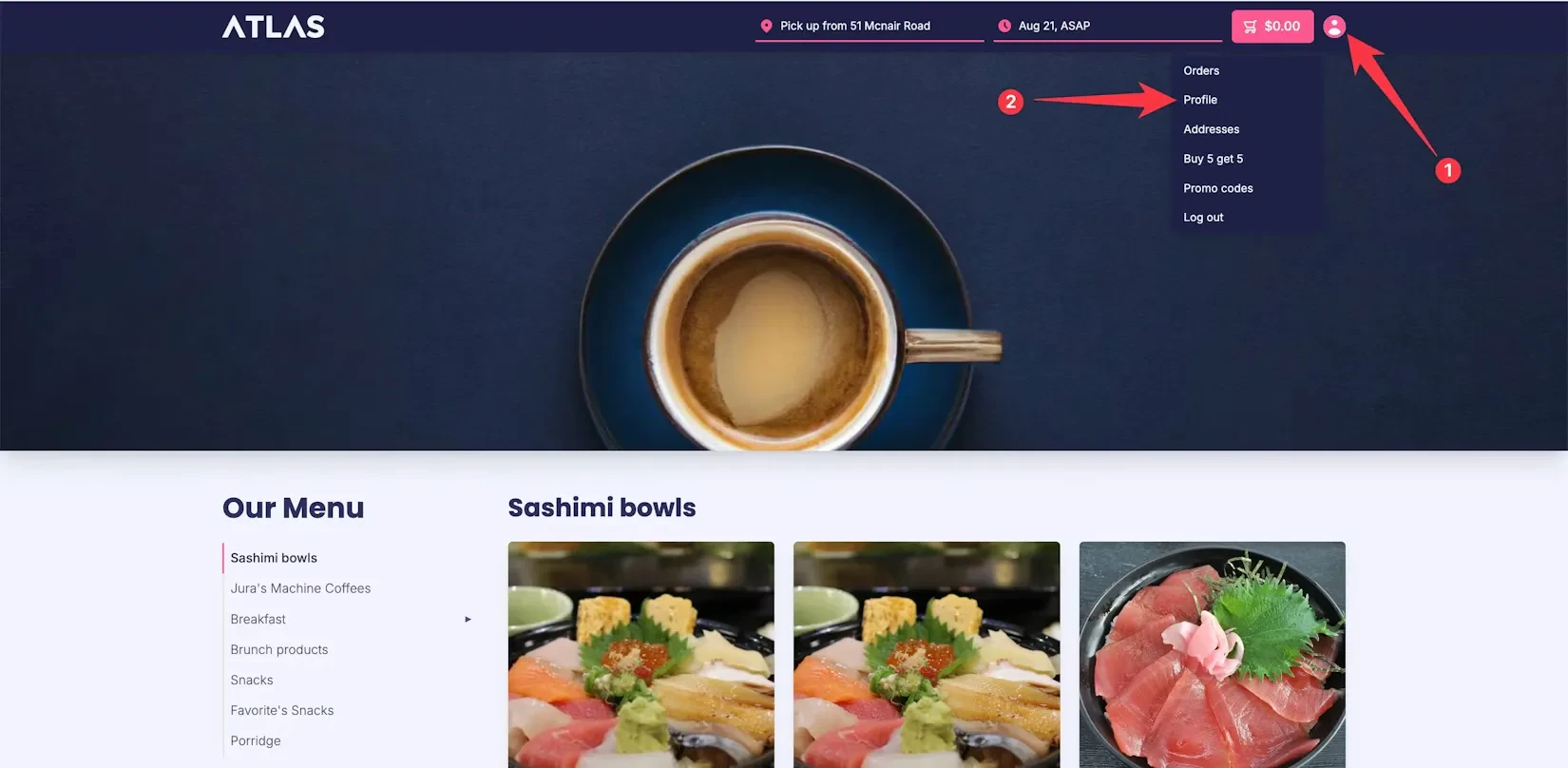 * After logging in, the page will redirect to the **landing page**.
* Click the **user icon** in the top-right corner.
* Select **Profile**.
5. **Update the phone number:**
* Click the **Mobile number** field.
* Enter the new phone number.
* Click **Update your profile**.
6. **Verify the update:**
* The phone number should now be updated.
* If any issues persist, diners can email [**hello@atlas.kitchen**](mailto:hello@atlas.kitchen) for further assistance.
* After logging in, the page will redirect to the **landing page**.
* Click the **user icon** in the top-right corner.
* Select **Profile**.
5. **Update the phone number:**
* Click the **Mobile number** field.
* Enter the new phone number.
* Click **Update your profile**.
6. **Verify the update:**
* The phone number should now be updated.
* If any issues persist, diners can email [**hello@atlas.kitchen**](mailto:hello@atlas.kitchen) for further assistance.